WhatsApp for e-commerce: from inquiry to order in one chat
Millions of small businesses in India, Brazil, and SE Asia sell directly on WhatsApp. Here's how to do it professionally, without the chaos.

Nobody puts WhatsApp on their list of e-commerce platforms. But in India, Brazil, Indonesia, Nigeria, and across Southeast Asia, millions of small businesses are doing real revenue through WhatsApp every single day. No Shopify store. No shopping cart. Just a phone number, a catalog screenshot, and a steady stream of chat messages.
It works. Completely. Until the orders hit 20 a day and everything starts breaking.
WhatsApp is the biggest e-commerce platform nobody talks about
Walk into any wholesale market in Mumbai, any fashion district in São Paulo, any night market in Bangkok, and ask the vendors where most of their repeat orders come from. The answer is almost always WhatsApp. Not Instagram. Not their website. WhatsApp.
WhatsApp Business has over 200 million active users globally, and a huge chunk of them are running actual businesses. Selling clothes, food, electronics, handmade goods, beauty products, and anything else you can imagine, all through chat. Customers prefer it because it's familiar. Sellers prefer it because there's no platform fee, no commission, no algorithm to fight.
The informal economy runs on trust and convenience. WhatsApp delivers both. The problem is that it was never built to be an order management system, and when you try to use it as one, you feel that friction fast.
The problem with chat-based ordering
Here's what a typical WhatsApp order looks like. Customer: "Hi, I want the blue kurti in size M." You reply asking for their address. They send it in three separate messages. You ask for their phone number. They ask about delivery charges. You quote the price. They say okay. You ask if they want to pay now or on delivery.
That's 45 minutes of back-and-forth for one order. And you're doing it 15 times a day.
Wrong sizes get shipped because someone typed "L" when they meant "XL." Addresses get missed because they came in a voice note you forgot to transcribe. Order history doesn't exist because WhatsApp chats aren't a database. Returns turn into negotiations because you can't remember what size they originally ordered.
This isn't a small problem. It's the ceiling that keeps informal WhatsApp sellers from scaling. The fix isn't complicated, it just requires a bit of structure applied at the right points.
From inquiry to order — in one chat
Here's what that same conversation looks like once you add one piece of structure to it.
Customer: "Hi, I want the blue kurti in size M."
You: "Sure! Pick your product, size, and fill in your details here 👇 WhatsApp order form link"
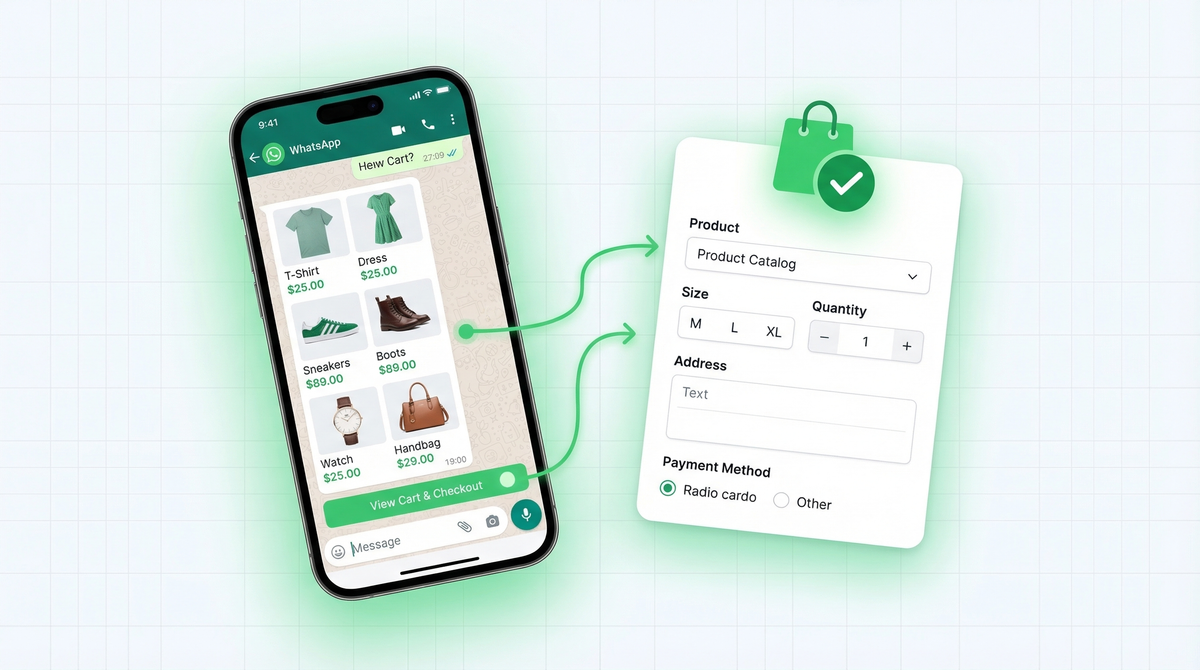
Customer opens the form, browses products with images, selects the blue kurti, picks size M, enters quantity, fills in their delivery address, chooses payment method, and hits submit.
You receive on WhatsApp: "New order from Priya Sharma — Blue Kurti, Size M, Qty 1 — 42 MG Road, Bengaluru 560001 — Pay via UPI"
You: "Order confirmed ✅ Shipping in 1–2 days."
One link sent. One form filled. One clean message received. The entire inquiry-to-order journey happens in a single chat thread. No back-and-forth, no missing details, no follow-up needed.
What a WhatsApp order form actually looks like
Unlike a regular form that sends data to a spreadsheet or email, a WhatsApp order form sends the customer's response directly to your WhatsApp from their own phone number. That means every order comes from a real, reachable contact you can follow up with instantly in the same chat thread.
Inside the form, you add your products with images. Customers browse, select their preferred product, choose size and quantity, fill in their delivery address in clearly labeled fields, and pick a payment method. All in one flow. When they submit, everything arrives in your WhatsApp as a single structured message with every detail you need to process the order immediately. No chasing. No missing fields. No "sorry, which size did you mean?"
We built WhatsForm for exactly this. Full disclosure, we built it. Get started free, and inside the dashboard you can start a new form using a ready-made order template, build from scratch, or describe your store to the AI and it builds the form instantly. If you already use Google Forms, you can also convert your Google Form to a WhatsApp form without rebuilding from scratch.
Payment confirmation
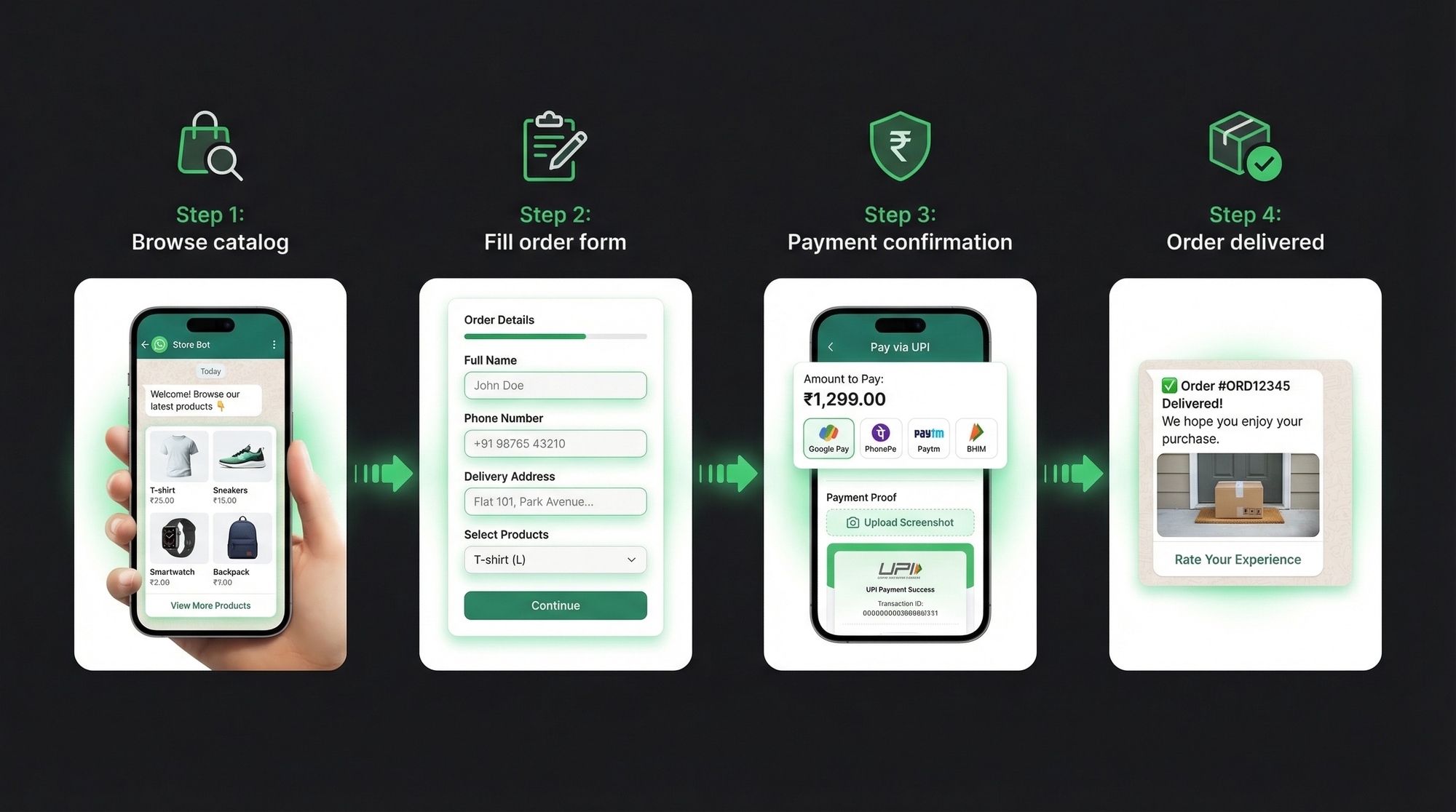
Cash on delivery was king for years. It's still popular in many markets. But UPI and bank transfers are replacing it fast, especially for pre-orders, custom items, and repeat customers who've built trust with a seller.
Here's a clean payment flow that works at scale:
- Customer fills the order form
- You receive the structured order details on WhatsApp
- You reply with your UPI ID or bank details and the exact amount
- Customer makes the payment and uploads the screenshot to the chat
- You confirm with: "Payment received. Order confirmed. Estimated delivery: 3-5 days."
The key is being precise when you share payment details. Don't bury them in a paragraph. Send just the essentials, formatted cleanly: UPI ID, amount, and an order reference. Customers who get clear instructions pay faster and ask fewer follow-up questions.
You can also accept payments directly inside WhatsForm before the conversation even starts. Here's how to set that up.
Order tracking via labels
WhatsApp Business has a labels feature built right in. Most sellers don't use it. It's basically a lightweight order management system that lives inside your chat app, no extra tool required.
Create these labels and color-code them:
- New order (yellow)
- Confirmed (blue)
- Packed (orange)
- Shipped (purple)
- Delivered (green)
- Return requested (red)
Every chat with an active order gets labeled. When you pack an order, move the label from "Confirmed" to "Packed." When it ships, move it to "Shipped." You can filter your chats by label and instantly see every order in a given status. No spreadsheet. No app. Just WhatsApp itself.
It's not a proper CRM. But for sellers doing up to 30-40 orders a day, it's surprisingly effective. The sellers who use this system religiously are the ones who never lose track of an order in transit.
Handling returns and exchanges
Returns are where informal WhatsApp selling falls apart completely. A customer messages you saying "the shirt is too small, I want to exchange it." You're not sure which order they mean. You don't remember what size they ordered. The conversation turns into a negotiation instead of a resolution.
The fix is the same as for orders: a structured return form. The form asks for:
- Order ID or date of purchase
- Product name and variant ordered
- Issue (wrong size, damaged, wrong item, other)
- Photos of the issue
- Preferred resolution (exchange, refund, store credit)
When a customer submits this, you receive one clean message with all the facts. No back-and-forth to establish what happened. You can make a decision immediately instead of spending 20 minutes piecing together the story.
Build this as a second WhatsForm alongside your order form. Link to it in your post-delivery message: "If you have any issue with your order, tap here to fill our return form and we'll resolve it within 24 hours." Customers appreciate the professionalism. It also signals that you take returns seriously, which builds trust with first-time buyers.
Scaling up: when structure becomes survival
At 5-10 orders a day, informal chat works fine. At 20+ orders a day, it starts straining. At 40+ orders a day, it's chaos. The shift from "it works" to "it's breaking" usually happens faster than expected. One viral Instagram reel, one good festive season, one popular product, and suddenly you're drowning in messages you can't keep up with.
The businesses that scale past this point share one thing: they set up structure before they needed it. Order forms, payment flows, label systems, return processes. Small decisions made during the manageable phase that compound when volume spikes.
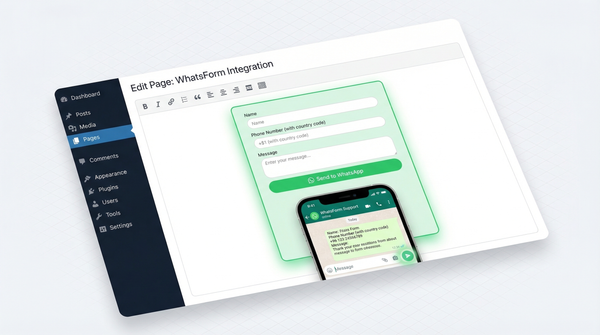
The WhatsForm Android app and iOS app let you manage incoming forms from your phone without being tied to a laptop. If you sell through a website built on WordPress, the WhatsForm WordPress plugin puts your order form directly on your product pages so customers can order without switching apps.
For a detailed walkthrough, check our help center guide on creating a WhatsApp form.
Read more: What is a WhatsApp form?, How to create a WhatsApp contact form for your website, and Best WhatsApp form builders in 2026
The businesses doing serious revenue on WhatsApp are not doing anything magical. They just applied a bit of structure early. An order form instead of a chat. A label system instead of memory. A return form instead of a negotiation.
If you're still collecting orders through back-and-forth chat, the time to switch is before the orders hit 20 a day. Start with the get started free — templates are inside the dashboard, get one clean order through it, and you'll never go back to the old way.