How to accept payments on WhatsApp
WhatsApp has no built-in checkout. Here is every method businesses use to collect payments, from manual UPI sharing to payment links to form-based collection.

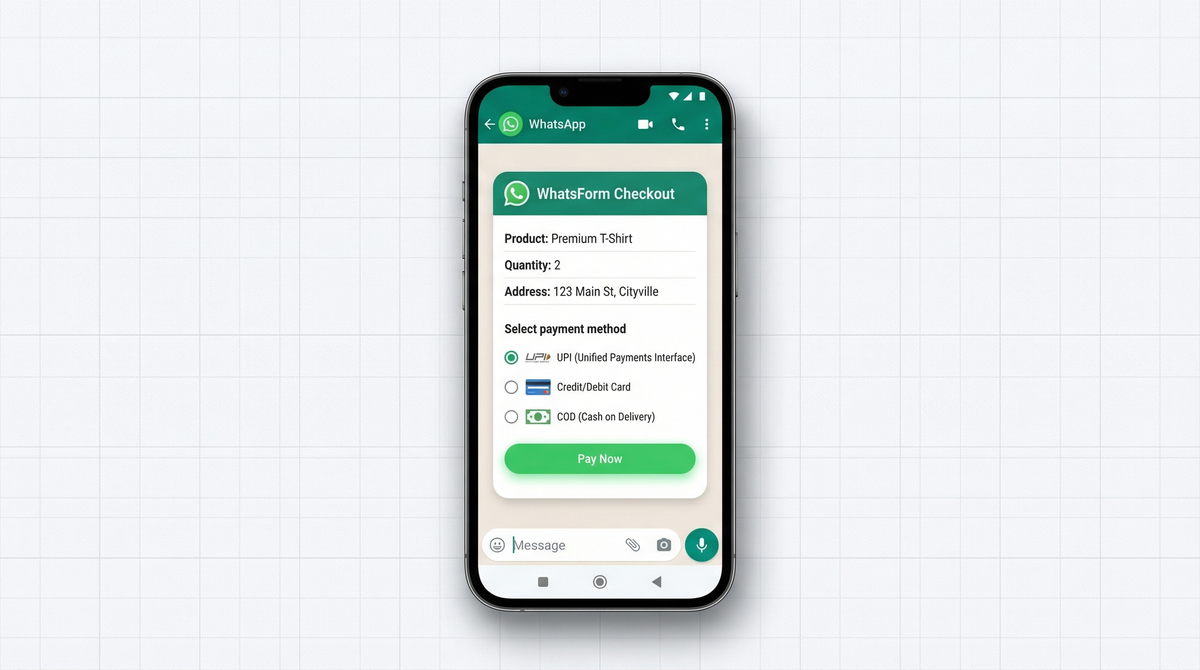
WhatsApp doesn't have a checkout. No cart. No payment button. No built-in way to collect money from a customer.
And yet, millions of businesses collect payments through WhatsApp every single day.
Retailers in India. Freelancers across Southeast Asia. Home bakers, tutors, boutique owners, service providers of every kind. They share a bank account number or a payment link in the chat, the customer pays on a separate app, and the order moves forward.
It works. It's just messy.
This article covers every method for accepting payments on WhatsApp, from the scrappy manual approach to the clean, scalable version with forms and automatic confirmation. Whether you're doing 3 orders a week or 50 a day, there's an approach here that fits.
WhatsApp doesn't have a built-in checkout
WhatsApp has a catalog feature. You can list products. Customers can browse and add items to a cart.
But when it's time to pay? Nothing. The conversation continues manually. The business sends payment details, the customer pays somewhere else, and someone confirms by hand.
The payment happens outside WhatsApp. That's just how it works, and that's not changing anytime soon.
The question isn't whether you can add a native checkout (you can't). The question is: which method of collecting payment fits your business, your customers, and your current volume?
Here are all your options.
Method 1: Share UPI or bank details manually
The most common approach in India. The most basic everywhere.
You receive an order via WhatsApp message. You reply with your UPI ID, bank account number, or a QR code screenshot. The customer opens their payment app. GPay, PhonePe, Paytm, or whatever they use. transfers the amount, and sends a payment screenshot.
This works, and a lot of real businesses run entirely on this flow.
The problem is scale. There's no automatic confirmation record. If a customer doesn't send the screenshot, you have to follow up. If the screenshot is blurry or the amount is wrong, you go back and forth. If you're handling 20 orders a day, you're drowning in screenshots and doing mental bookkeeping that falls apart fast.
It's a fine place to start. It's not a place to stay.
Method 2: Payment links
A cleaner option. You create a payment link on Razorpay, Stripe, PayPal, or any other gateway and share it directly in the WhatsApp chat.
The customer clicks the link, enters their card or UPI details, and completes the payment on a dedicated checkout page. You get a confirmation email. The payment is tracked in your gateway dashboard.
This is meaningfully better than sharing bank details. Payment is confirmed automatically. No screenshots. No "please send me a screenie" follow-ups. The customer's experience is cleaner too. it's a real checkout page, not a UPI ID typed into a message.
The limitation: it's still a two-step process. You receive the order in chat, then manually generate and send a link. If order volume is high, you're spending hours a week just on that. If someone messages when you're offline, they wait.
Payment links work well for freelancers, service businesses, and anyone doing under 10 transactions a day. Above that, the manual coordination gets exhausting.
Method 3: WhatsApp forms with payment collection
This is the approach that scales.
Instead of handling everything in the chat thread, you send customers a WhatsApp form that captures the order and the payment method in a single step.
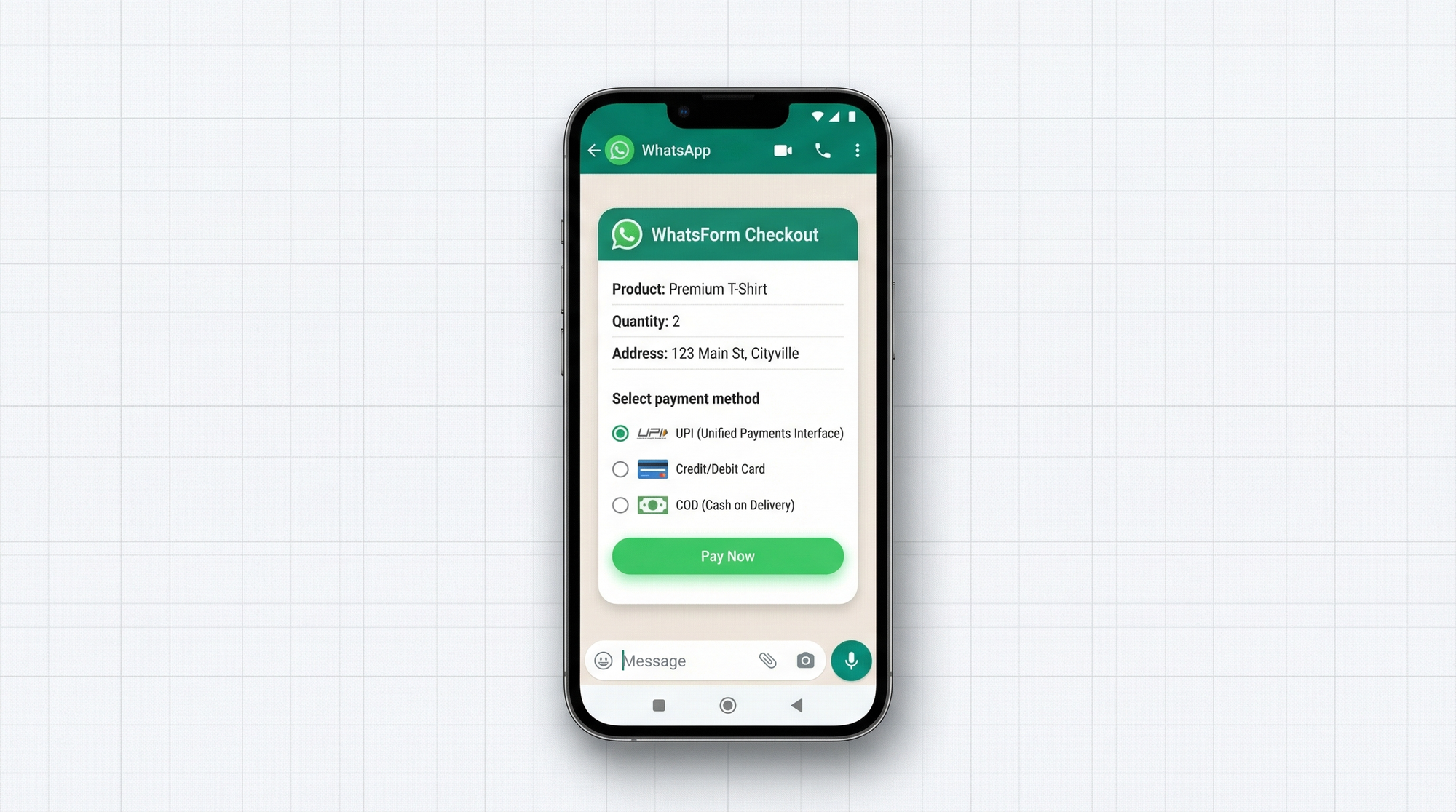
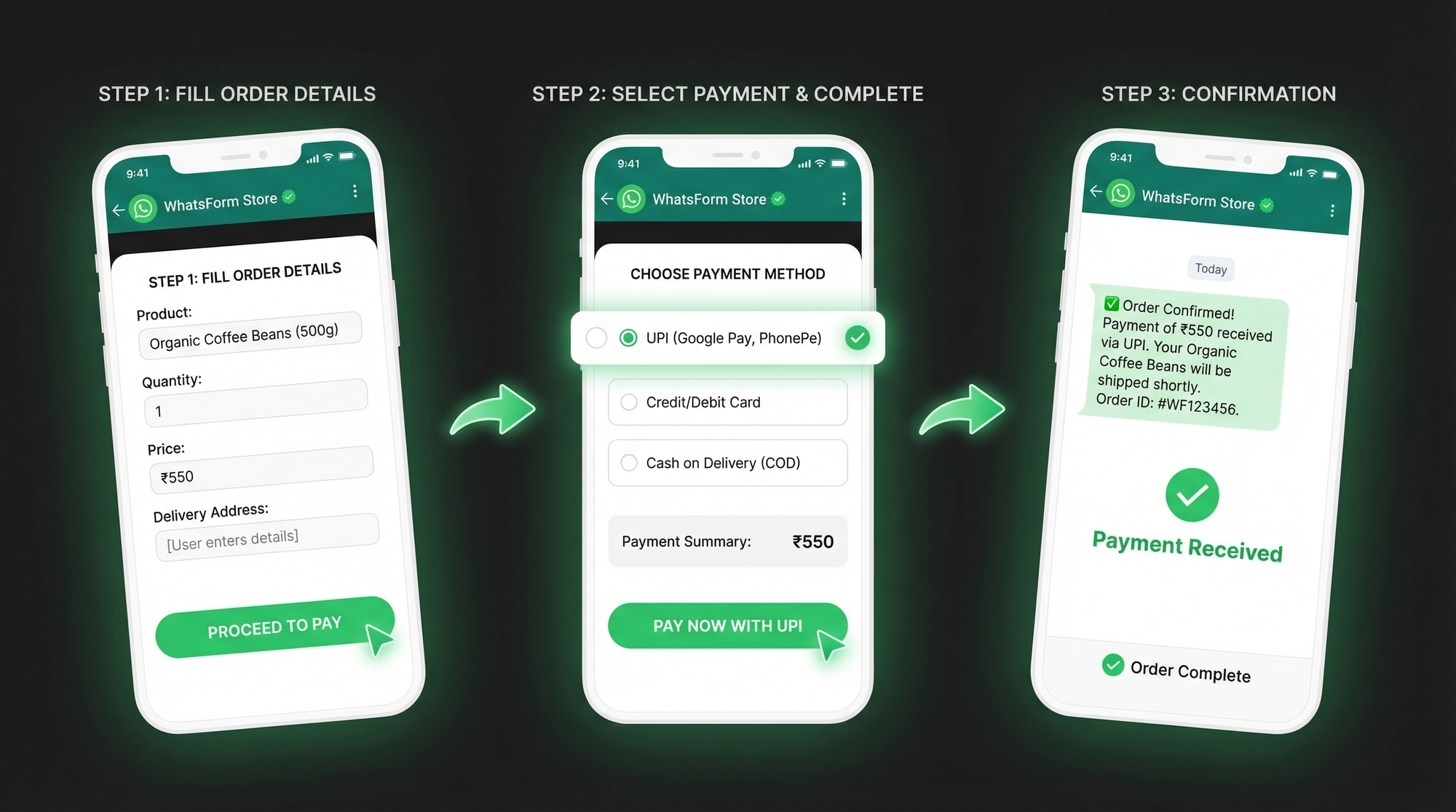
The customer fills out the form: item, quantity, delivery address, payment preference. If you've connected a payment gateway, they can complete payment right inside the form. Their order details and payment confirmation arrive together in your dashboard. Nothing separate. Nothing manual.
Full disclosure: we built WhatsForm, and this is exactly what it does.
With WhatsForm, you build a form with the fields you need, connect Razorpay or another supported gateway, and share the form link via WhatsApp (as a chat link, a QR code, or a button on your website). The customer fills it out, pays, and you get a clean submission with everything you need to process the order.
No back-and-forth. No screenshot follow-ups. No "I'll send you the link in a sec."
If you want a step-by-step setup walkthrough, our complete guide to WhatsApp order forms covers field structure, templates, and best practices for payment collection.
You can see exactly how to set this up in our help center article on accepting payments inside WhatsForm. If you want to get started quickly, there's a ready-made WhatsApp order template built for exactly this use case.
Payment confirmation flow
Regardless of which method you use, you need a reliable confirmation flow.
The cleanest version: payment gateway integration handles it automatically. Customer pays through the form or link. The gateway sends confirmation to your dashboard. You act on the order. Nothing manual.
If you're still in the manual phase, the typical flow looks like this:
- Customer places order via WhatsApp message
- You send payment details (UPI ID, QR code, or link)
- Customer pays and sends screenshot or transaction ID
- You verify receipt and move the order to the next stage
The screenshot step is where things break down. Customers forget. Screenshots are blurry. Transaction IDs get mistyped. If you're doing any real volume, use a form with a transaction ID field. It gives you something searchable and verifiable.
COD handling
Cash on delivery is still massive in India and across Southeast Asia. A significant portion of customers prefer to see the product before paying. If you're selling physical goods in these markets and don't support COD, you're losing orders.
A WhatsApp form handles this cleanly. Add a payment method field to your form: "Online (UPI / Card)" or "Cash on delivery." The customer picks their preference when placing the order.
Prepaid orders flow to payment. COD orders flow to fulfillment. Same form, different handling, and you know exactly which is which from the submission.
If you're building your order collection flow from scratch, this guide on collecting orders on WhatsApp covers the full setup including COD, form structure, and what fields actually matter.
Tracking payments with WhatsApp Business labels
WhatsApp Business has a simple labeling feature. You can tag conversations with custom labels and filter by them. It won't replace a full order management system, but for small businesses doing under 50 orders a day, it gets the job done.
A practical setup:
- Pending payment. order received, waiting for payment
- Paid. payment confirmed, processing the order
- Confirmed. order confirmed, preparing to ship
- Shipped. out for delivery
Apply the label at each stage as you move through it. You get a clear view of every open order across all your conversations, without needing a separate tool.
Takes about five minutes to set up in WhatsApp Business settings. Worth doing early before you're drowning in untagged chats.
Getting started
The progression most businesses follow:
Phase 1 (just starting out): Share UPI or bank details manually. No setup required. Good for validating demand before investing in a system.
Phase 2 (5-15 orders/day): Switch to payment links. Set up a Razorpay or Stripe account. Send links in chat. Payments get tracked automatically. No more screenshot chasing.
Phase 3 (15+ orders/day, or you just want a real system): Build a WhatsForm with payment collection. Customers get a proper checkout experience. You get clean submissions with payment confirmation attached. Scales without adding manual work per order.
For a detailed walkthrough, check our help center guide on setting up forms with payment.
The form setup takes about 20 minutes. Build the form, add your fields, connect the gateway, share the link or QR code. From there it runs on its own.
You can download WhatsForm on Android or on iOS to manage order responses on the go. There's also a WordPress plugin if you want to embed the form directly on your site.
The messiness of WhatsApp payments is completely solvable. You don't need a custom app or a complicated backend. A well-built form with a payment field does the job, at any volume.