How to build a job application form for WhatsApp
Small businesses already receive job applications on WhatsApp. A structured form makes the whole process faster, cleaner, and easier to manage.

If you run a small business, you've probably received a job application on WhatsApp. Maybe it was someone texting "Hi, I'm looking for a job." Maybe they sent a photo of their printed CV. Maybe they just sent their name and said "I'm interested."
It's happening everywhere. Retail shops, restaurants, logistics companies, startups in emerging markets. WhatsApp is where people are, so it's where they apply.
The problem isn't WhatsApp. The problem is that there's no structure to the process.
The "send your CV" problem
The classic approach is to post a job opening and write "Send your CV to this number." Simple enough. Until the applications start arriving.
Some people send PDFs. Some send photos of printed documents. Some send Word files. Some send a voice note explaining their experience. And some just send "hi" and wait for you to ask questions.
There's no standard format, no consistent information, and no way to compare candidates. You're scrolling back through chat history trying to remember who said they had three years of experience and who mentioned they could start immediately. Half the time you lose track of applicants entirely because a new conversation pushed them off your screen.
You also end up doing a lot of back-and-forth. "Can you send your CV as a PDF?" "What role are you applying for?" "Do you have experience with inventory management?" These are all questions a form could answer upfront.
It's not a hiring process. It's just chaos. And if you're currently collecting applications through Google Forms, check out our guide on converting Google Form responses to WhatsApp for a better workflow.
What a good application form captures
A structured application form fixes all of this. Instead of asking candidates to send whatever they feel like, you give them a form that collects exactly what you need, in the format you need it.
A solid job application form should capture:
- Full name and contact details (phone, email)
- Position applying for (dropdown if you're hiring for multiple roles)
- Years of experience in the relevant field
- Education background (highest qualification, institution)
- CV upload (PDF or doc, attached directly to the form)
- Availability (notice period, full-time or part-time, earliest start date)
- Expected salary
Every candidate answers the same questions. You can compare them side by side. Nothing gets lost in chat history. And you spend your time evaluating candidates instead of chasing information.
Creating the form
Full disclosure: we built WhatsForm for exactly this kind of use case. Create your first form in a few minutes. Here's how to set it up for job applications.
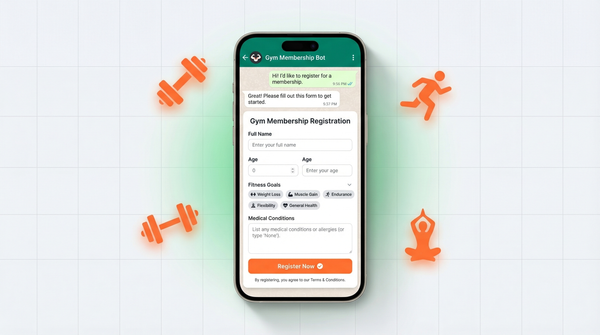
Start with a text field for full name. Add phone and email fields for contact info. If you're hiring for more than one role, use a dropdown field for position so candidates self-select. That way you're not guessing who applied for what.
Add a file upload field for the CV. WhatsForm supports file uploads so candidates can attach their resume directly in the form. No more "can you resend it as a PDF" back and forth. The file arrives with the rest of their application.
Add fields for experience, education, availability, and expected salary. Keep it focused. If you add 20 fields, candidates will drop off before finishing. Stick to what you actually need to make a hiring decision.
When you're done, you have a clean shareable link. Every applicant who uses it sends you a complete, structured response.
Sharing the job form
Once your form is live, you need to get it in front of candidates. The good news: you already have distribution.
WhatsApp Status is the most direct channel. Post about the opening, add the form link, and let your existing contacts share it. Most small business owners have hundreds of contacts who might know someone suitable or share it within their community.
Instagram stories work well for consumer-facing roles. A quick graphic with "We're hiring" and the link reaches people who already know your brand. Add a link sticker pointing to your WhatsForm URL.
Your website's careers page should have the form link or an embedded version of the form. When people visit your site to apply, they land on a proper form instead of a vague "WhatsApp us" button.
Job boards like LinkedIn, Indeed, or local platforms let you add a custom apply link. Use your WhatsForm URL there. Candidates click apply, fill the form, and their response lands directly in your WhatsApp.
You can also generate a QR code for your form and add it to printed job flyers or posters if you're hiring locally. Someone sees the posting, scans the code, and applies right there.
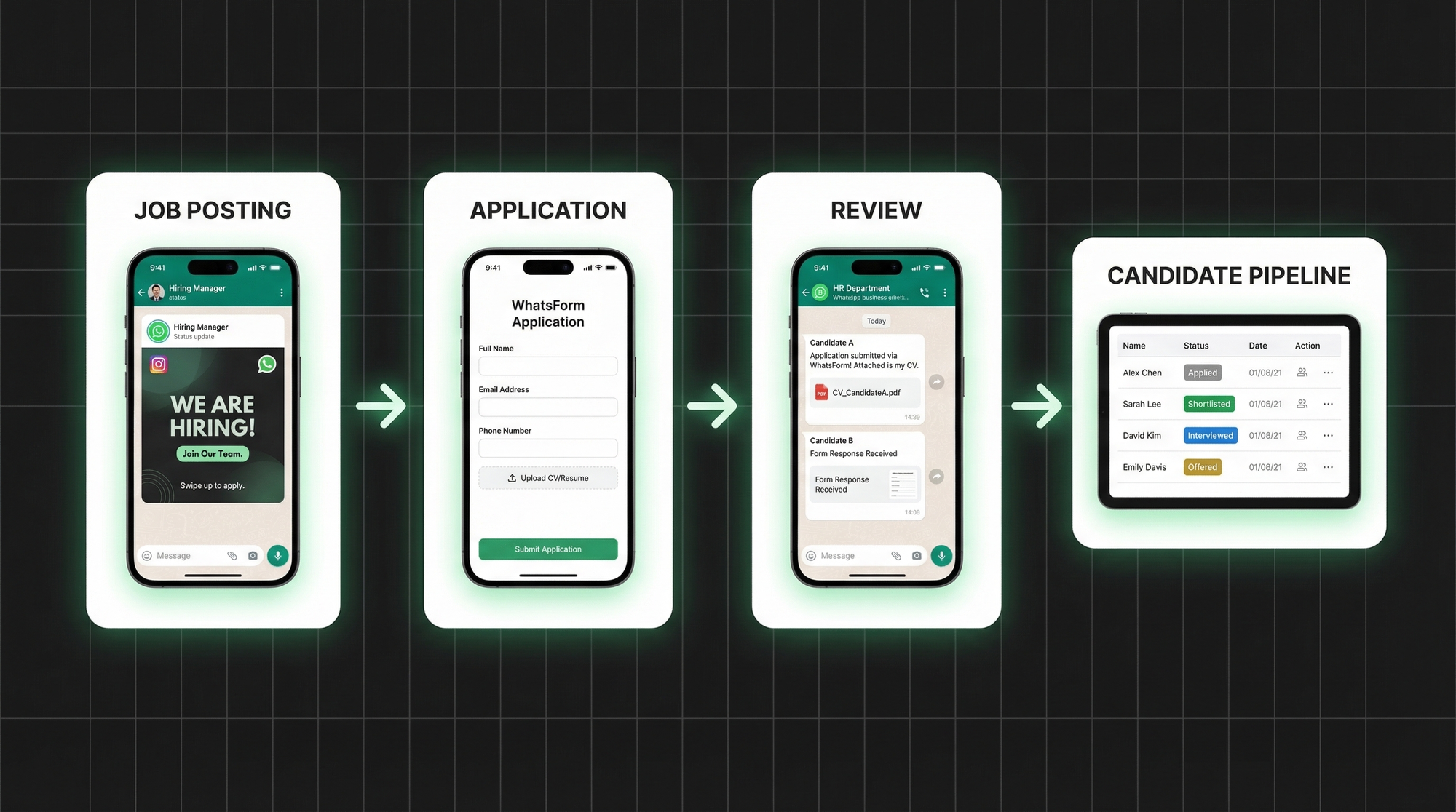
Screening applicants
This is where the structure pays off.
Every application arrives in WhatsApp with the candidate's full answers attached. Name, position applied for, experience summary, education, CV link, availability. You can see at a glance whether someone meets your basic requirements before you even open their CV.
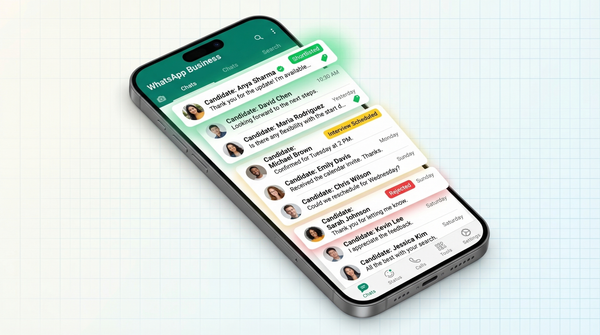
Use WhatsApp Business labels to track each candidate's stage in your process:
- Applied – just came in, not reviewed yet
- Shortlisted – looks promising, worth a closer conversation
- Interviewed – had a call or in-person interview
- Offered – offer sent or accepted
- Rejected – not a fit this time
Labels turn your WhatsApp inbox into a lightweight applicant tracking system. Filter by label to see all shortlisted candidates at once, or check who's been interviewed and needs a follow-up. It's not enterprise HR software, but for most small businesses it's more than enough.
You can also export all form responses to a spreadsheet if you want to review applications in bulk or share the list with a hiring manager.
Interview scheduling
Once you've shortlisted candidates, scheduling interviews is simple because you're already in conversation with them on WhatsApp.
Send a quick message with a couple of available slots: "Hi [name], thanks for applying. Are you available Tuesday at 3pm or Wednesday at 11am for a quick call?" Most candidates respond within the hour.
If you want to reduce back-and-forth even further, add a booking form to your flow. Candidates pick a slot that works for them without any coordination needed. Take a look at our WhatsApp registration form guide for ideas on structuring these follow-up conversations.
For businesses doing higher-volume hiring, self-scheduling makes a real difference. You shortlist, send a link, candidates book themselves in, and you show up to interviews without any scheduling overhead. If you've been handling freelance hiring on WhatsApp, the same approach applies. Our guide on using WhatsApp for freelancers covers more on managing work relationships through the app.
Getting started
If you're still running a "send your CV to this number" process, this is a straightforward upgrade. You don't need to change how you hire. You just need to add structure to what's already happening.
For a detailed walkthrough, check our help center guide on setting up your first form.
Create your application form on WhatsForm. Add the fields that matter for your roles. Share the link wherever you post jobs. Every application comes back structured and ready to review.
Manage everything from your phone. Download on Android or iOS to review new applications and follow up with candidates wherever you are. If you run your hiring through a WordPress site, the WhatsForm WordPress plugin makes it easy to embed the application form directly on your careers page.
WhatsApp is already part of how small businesses hire. A structured form just makes it work the way it should.