WhatsApp for freelancers: collecting briefs and managing clients
Freelancers live in WhatsApp. But scattered voice notes and buried briefs kill productivity. Here's how to add structure to your client communication without leaving WhatsApp.

You got a new project inquiry. The client is excited. You're ready to start.
Then it begins.
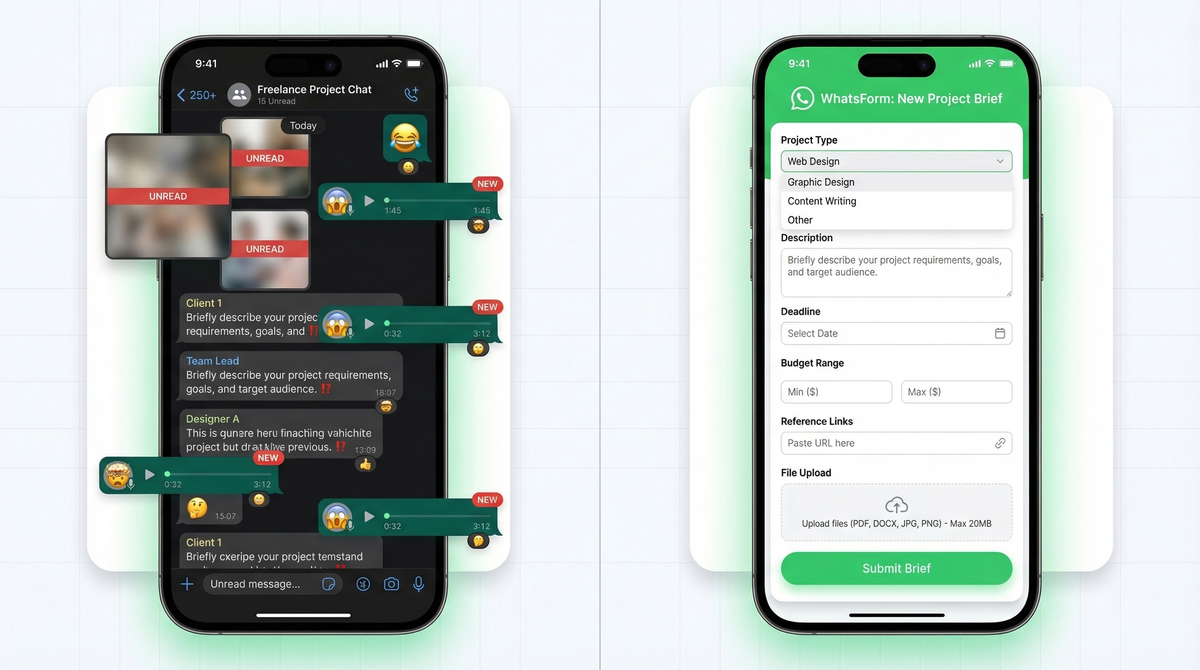
Three voice notes. A blurry screenshot of a logo they liked. A message that says "just make it pop." Two days later, a completely different direction buried inside a 47-message thread you somehow missed.
This is the WhatsApp freelancer experience. And it's costing you time, energy, and clients.
The freelancer WhatsApp problem
WhatsApp is where clients are. That's a fact of life, especially if you work in markets where it's the default business communication tool. You can't avoid it, and honestly, you probably wouldn't want to.
The problem isn't WhatsApp. The problem is no structure.
Project briefs arrive as voice notes. Revision requests get buried under memes. Payment conversations mix with creative feedback. You end up managing three separate threads with the same client just to find the file they sent last Tuesday.
The fix isn't to move clients to email or force them into a project management tool they won't use. The fix is to add a layer of structure on top of WhatsApp, so information arrives in a format you can actually work with.
Project brief intake form
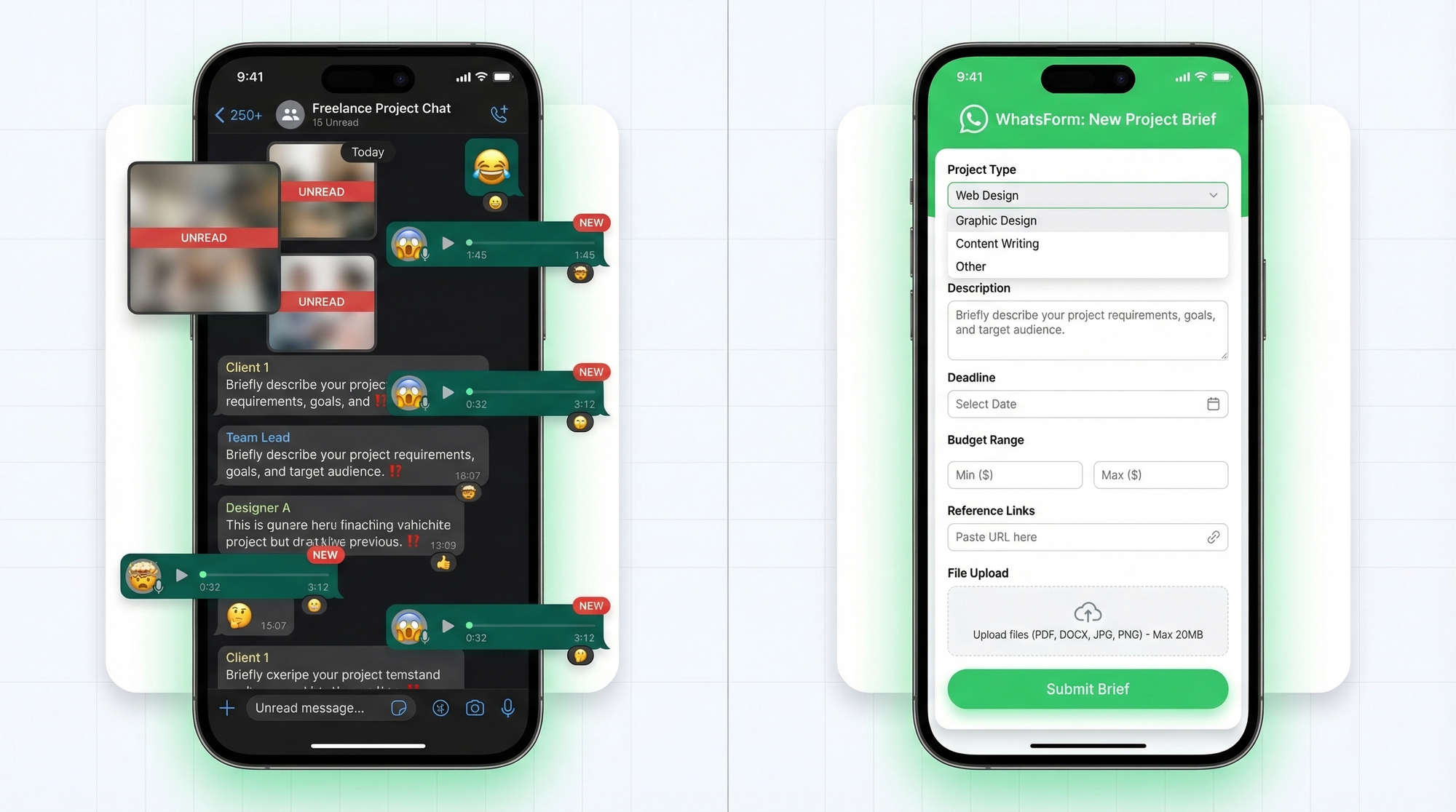
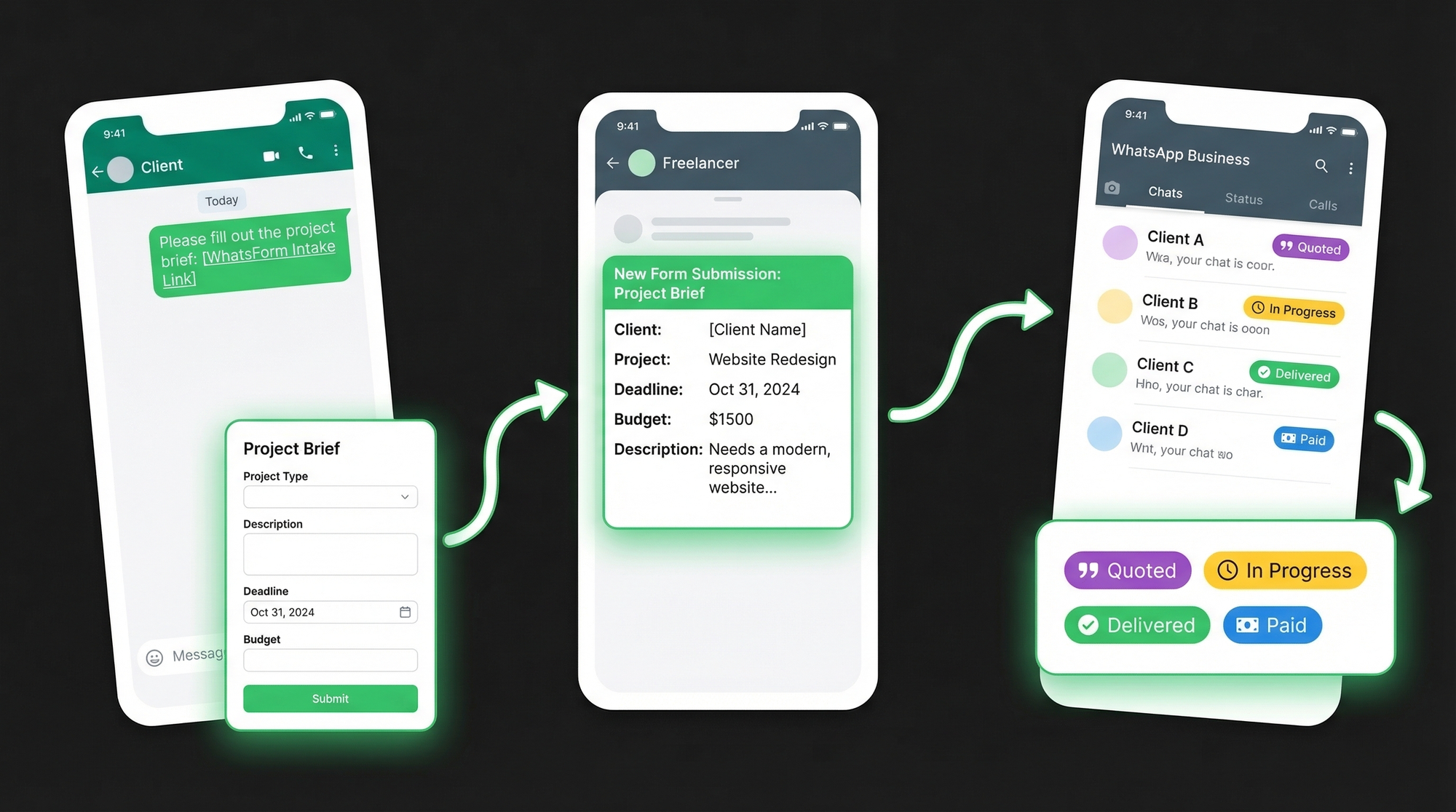
The single biggest upgrade you can make as a freelancer is a proper intake form. Not a PDF. Not a Google Form they have to email back. A form that opens inside WhatsApp and sends the response directly into your chat.
Build it with a WhatsApp form that collects everything upfront:
- Project type (logo design, website, photo shoot, copywriting, etc.)
- Project description (what needs to be done, context, goals)
- Deadline (required by date)
- Budget range (dropdown with ranges, not a blank field)
- Reference links (examples they love, competitors, inspiration)
- File uploads (existing assets, brand files, logos)
When a new lead reaches out, you send them the form link before the conversation even starts. They fill it in, it arrives in your WhatsApp as a clean summary. You have everything you need before the first call.
If you want the setup steps, follow our help center guide on creating your first WhatsApp form.
No more "can you send me that brief again?" No more reconstructing requirements from six different messages.
Learn more about what a WhatsApp form is and how it works if you're new to the idea.
Quote request forms
Quoting is another place where freelancers lose time. Someone asks "how much for a website?" You ask follow-up questions. They respond three days later with half the answers. You quote. They say that's not what they meant.
A dedicated quote request form stops this loop entirely. It asks:
- Service needed (specific deliverable, not just "design stuff")
- Scope (number of pages, revisions included, deliverable formats)
- Timeline (when they need it, hard deadline vs flexible)
- Budget (yes, ask upfront. It filters time-wasters.)
You get a quote request with real information, you quote accurately, and you don't spend 45 minutes on back-and-forth that goes nowhere.
Revision request tracking
The same structure works in other service businesses too. See how it plays out for salons and spas, real estate inquiries, and education registrations.
Revisions are where freelancer relationships go wrong. Feedback arrives in fragments. "Change the color." Then three hours later, "actually make the font bigger too." Then the next morning, "can we go back to the original layout?"
A revision request form gives clients a single place to submit all feedback at once. The fields that matter:
- Which project (if you have multiple active)
- What changes (specific, detailed, all at once)
- Priority level (urgent, normal, low)
- Deadline (when they need the revised version)
Send the revision form link after delivering each draft. "Here's the first version. Use this link to send me your feedback." It trains clients to think in structured feedback, not reactive voice notes.
Payment and invoice tracking
WhatsApp Business labels are underused by most freelancers. You can create custom labels and tag every conversation. Build a simple system:
- Quoted (sent the proposal, waiting)
- In progress (accepted, working on it)
- Delivered (sent the final files, waiting for sign-off)
- Paid (closed, done)
At a glance, you know exactly where every client stands. Filter by "delivered" to chase invoices. Filter by "in progress" to check your current load. No spreadsheet needed.
Pair this with a payment confirmation form. When a client pays, they submit the form with their payment reference. You get it in WhatsApp, you update the label. Clean, auditable, simple.
Testimonial collection
Most freelancers either forget to ask for testimonials or feel awkward doing it. A form removes both problems. After you mark a project as paid, send a short testimonial request:
- Rating (1-5 stars)
- Review text (what was it like to work together?)
- Permission to use publicly (yes / no / with edits)
Keep it to three fields. It takes 90 seconds to fill in. You get testimonials consistently, clients feel appreciated, and you build social proof without the awkward ask.
You can also collect this data via exported form responses if you want to keep everything in a spreadsheet.
Setting boundaries
Structure isn't just about forms. It's about how you communicate.
Auto-replies for working hours. WhatsApp Business lets you set a message that goes out automatically outside your working hours. Use it. Something like: "Thanks for reaching out. I'm offline until 9am IST. I'll respond during business hours. For project briefs, use [link]." Clients know when to expect you. You stop feeling obligated to reply at 11pm.
Separate business number. If you're using your personal number for client work, stop. A separate WhatsApp Business number keeps your personal life intact and makes you look more professional. You can get a second SIM or use a virtual number service. The switch takes an hour. The peace of mind lasts forever.
Read more about setting up auto-replies on WhatsApp and how to handle after-hours messaging the right way.
Your freelancer toolkit
Here's the stack that makes this all work:
WhatsForm for intake. Build your brief, quote, revision, and testimonial forms. Full disclosure: we built it. It's free to start, forms open in WhatsApp, and responses land in your chat as clean summaries. Start with the contact template and adapt it for your workflow.
WhatsApp Business for labels. Use the free WhatsApp Business app to manage client labels (quoted, in progress, delivered, paid). Set your business hours, add auto-replies, and keep your work profile separate from your personal number. Check the difference between WhatsApp and WhatsApp Business if you haven't switched yet.
For a detailed walkthrough, check our help center guide on creating your first WhatsApp form.
WhatsForm app for mobile. Manage everything on the go. Available for Android and iOS. Build forms, check responses, update links, all from your phone.
WordPress plugin for your site. If your freelance site runs on WordPress, install the official Form to Chat plugin to embed your brief form without touching code.
The goal isn't to replace WhatsApp. It's to make it work like a proper business tool instead of a group chat. Clients stay in the app they already use. You get structured information, clean records, and a reputation for being the professional who actually has their process together.
That's the kind of freelancer clients refer to friends.