WhatsApp for education: registrations, fees, and parent communication
Schools in India, SE Asia, and the Middle East already use WhatsApp. Here's how to use it properly with forms instead of chaotic group messages.

Every school in India, the Middle East, and Southeast Asia already has one unofficial communication system. It's not the school website. It's not email. It's WhatsApp.
Parents are on it. Teachers are on it. Students are on it. The school admin is managing six different group chats before 9am. WhatsApp has become the default layer for everything from fee reminders to homework queries to "is there school tomorrow?" messages.
The problem isn't WhatsApp itself. The problem is how schools use it. A group chat with 200 parents generates 300 messages a day. Important announcements get buried. Responses are all over the place. The admin has to manually read through a wall of text to figure out who confirmed attendance and who didn't.
There's a better way. Instead of letting WhatsApp be a chaotic group chat, you can use it as a structured intake system. Forms that collect exactly the information you need, responses that come in clean and organized, all delivered through the one app your parents already use every day.
Student registration forms
The first touchpoint a parent has with a school is usually registration. And yet most schools still handle this through paper forms, Google Forms links buried in emails, or worse, asking parents to "WhatsApp the details" to the admin's number.
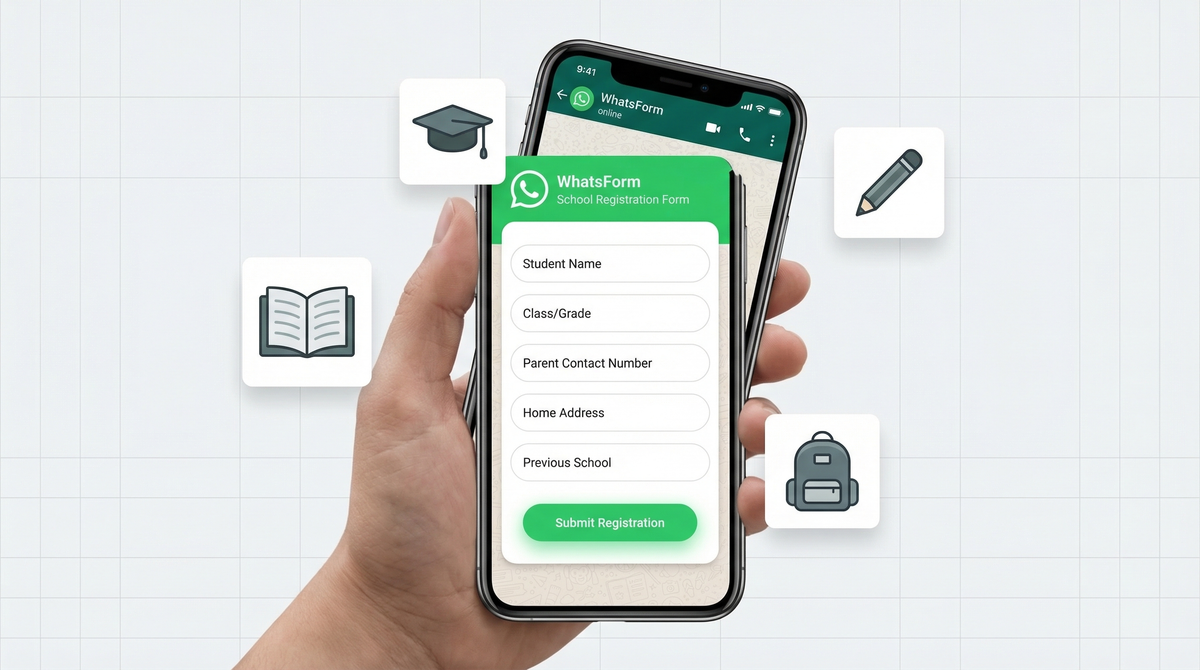
A proper WhatsApp registration form collects everything in one go. Name, class applying for, parent contact number, home address, previous school attended, and any documents needed. The parent fills it out on their phone in under two minutes. The school gets a clean, structured response in their WhatsApp.
No follow-up messages asking for the address they forgot to send. No piecing together information from five different chats. Just a complete record, every time.
You can create your first WhatsApp form in minutes, or if your school already uses Google Forms, you can convert it to a WhatsApp form and keep using your existing field structure. If you want the strategy side, read how to convert a Google Form to WhatsApp.
Fee collection reminders
Fee reminders are one of the most stressful admin tasks in any school. You send a message. Some parents acknowledge it, some don't. Some pay, some don't. Tracking who has and hasn't paid becomes a full-time job.
A structured fee confirmation form changes this completely. When a parent pays, they fill out a quick form: student name, amount paid, date of payment, transaction ID or receipt upload. The admin gets a clean confirmation in WhatsApp with all the details.
No more "I sent the money, please check" messages that lead to back-and-forth. No more manually updating spreadsheets based on scattered screenshots. Every payment comes in as a structured response you can export and reconcile. Check out how to export responses from WhatsForm to keep your records clean.
WhatsForm also supports accepting payments directly inside the form, so you can turn a fee reminder into a complete fee collection flow in one step. We go deeper into that here: how to accept payments on WhatsApp.
Event RSVPs
Annual day. Sports day. Parent-teacher meetings. Graduation ceremonies. Every event requires the same painful process: send a message in the group, ask parents to "reply with how many are attending," then spend the next three days compiling responses from a group chat where everyone's talking over each other.
An RSVP form solves this immediately. Which event, number of seats needed, dietary restrictions if a meal is involved, any accessibility requirements. One link shared in the group. Structured responses come in, and the admin can see at a glance how many seats to arrange without reading through 180 messages.
Parent-teacher meeting RSVPs work especially well here. Parents can pick their preferred time slot, the teacher gets a clean schedule, and there's no confusion about who's coming when. It takes the chaos out of one of the most logistically painful events in the school calendar.
Homework and assignment submissions
Coaching centers and tutors deal with this constantly. Students submitting assignments by sending photos directly to the teacher's WhatsApp number. The teacher's chat is flooded. There's no way to tell which student submitted what, for which subject, for which class.
A homework submission form brings order to this. Student name, class, subject, assignment title, and a file upload field. Every submission comes in tagged with all the context the teacher needs. No more guessing who sent what. No more asking students to resend because the photo got lost in the chat.
For tutors managing multiple batches, this is particularly valuable. You can have one form link per subject, or one generic submission form that all students use. Either way, you get organized submissions instead of a chaotic inbox.
Feedback collection
Schools rarely collect structured feedback. It's either end-of-year paper surveys that 40% of parents fill out, or nothing at all. That leaves a gap between what the school thinks is working and what parents and students actually experience.
A WhatsApp feedback form gets dramatically higher response rates. Parents already have WhatsApp open. Filling out a five-question form takes two minutes. You can collect parent satisfaction surveys after each term, course feedback from students after a topic wraps up, or specific event feedback after annual day.
The responses come in structured. You can spot patterns. You can see if multiple parents flagged the same issue. You can actually act on the feedback instead of letting paper surveys sit in a drawer. If you want examples, our guides on WhatsApp feedback forms and customer surveys on WhatsApp are a good next step.
Broadcast vs groups for announcements
One thing worth getting right early: knowing when to use a WhatsApp group and when to use a broadcast list for announcements.
Use broadcast lists when you want to send a one-way announcement to all parents. Fee due dates. School holiday notices. Exam schedules. Broadcasts go to everyone but replies come only to you, keeping the channel clean.
Use groups when you genuinely want parents to interact. Class parent representatives coordinating events. Teachers discussing a shared topic. But even in groups, use forms for anything that requires structured responses.
If you want the broader setup playbook, read how to set up WhatsApp Business. And if you want the feature-level breakdown, these WhatsApp Business features are worth understanding early.
Setting it up for your school
The setup is straightforward. You don't need new software, a new app for parents to download, or an IT team to configure anything.
Here's how it works with WhatsForm. Full disclosure: we built it.
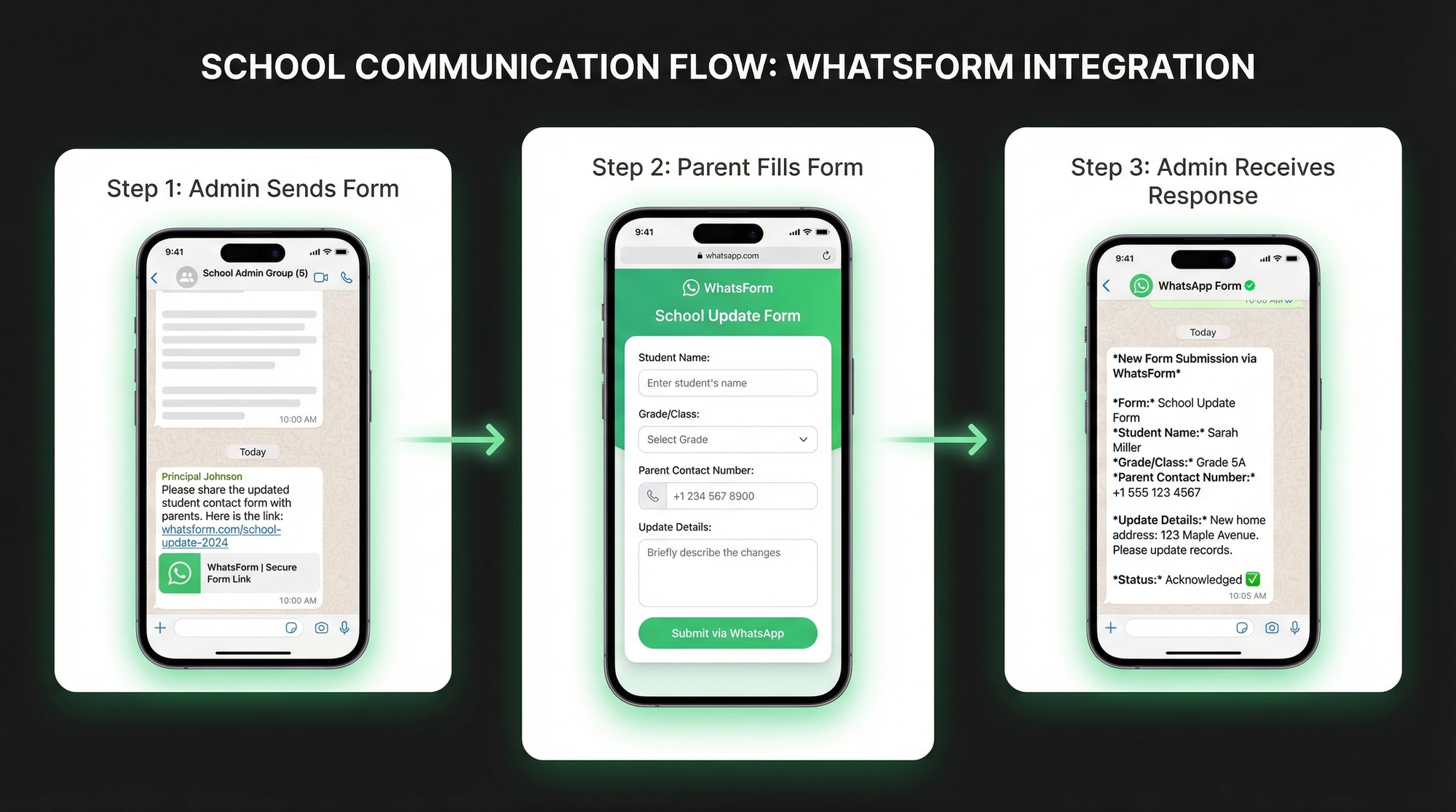
- Create your forms on WhatsForm. Registration, fee confirmation, RSVP, homework submission. Each form takes a few minutes to set up.
- Get your form link. WhatsForm generates a shareable URL for each form. You can also get a QR code to print and display at the school entrance or reception.
- Share it in your parent group. Pin the registration link at the top of the group. Send the RSVP link when an event comes up. Send the fee confirmation link with every fee reminder.
- Receive structured responses in WhatsApp. Every submission arrives in your admin's WhatsApp as a clean, formatted message with all the fields filled in.
Parents don't need to download anything. They just tap a link, fill out the form on their phone, and submit. It works on any phone, any WhatsApp version.
If your school has a website, you can also embed WhatsForm directly on the site or add it as a WhatsApp widget so parents can reach you from anywhere. For a practical example, see how to create a WhatsApp contact form for your website.
For schools running on WordPress, the WhatsForm WordPress plugin makes it even simpler to add forms to any page. If you want the full walkthrough, read how to embed a WhatsApp form on WordPress.
And if you want to manage responses on the go, the mobile app has you covered. Download for Android or iOS.
The real shift
The goal here isn't to make WhatsApp more complicated. It's the opposite. You take the chaotic back-and-forth out of your groups and replace it with one link that does the job properly.
For a detailed walkthrough, check our help center guide on setting up your first WhatsApp form. If bookings are part of your school flow, this WhatsApp booking form guide is useful too.
Schools that do this find that admin work drops significantly. Parents are happier because they're not lost in a flood of group messages. Teachers can focus on teaching instead of tracking down information across six different chats.
WhatsApp isn't going anywhere. Parents will keep using it. The question is whether your school is using it in a way that creates work or reduces it. Forms are the answer to that question.
Want to see what a WhatsApp form actually looks like before you build one? Read our explainer: what is a WhatsApp form and how does it work? If you're comparing tools already, this Google Forms comparison is the next logical read.