WhatsApp Business features you're probably not using
Most people download WhatsApp Business and chat. That's 10% of what the app can do. Here are the features you're probably skipping, and how to use them.

You downloaded WhatsApp Business. You set up your profile, added your business name, maybe wrote a description. Then you started chatting with customers like it was regular WhatsApp.
You're not alone. Most business owners do exactly this. But WhatsApp Business has a whole layer of features and tools sitting unused, right there in the app. Free, already installed, completely ignored.
If you've ever wondered what actually separates WhatsApp Business from regular WhatsApp, the honest answer is: the business features. And most people never touch them. If you're still setting things up, this WhatsApp Business setup guide is the best place to start.
Here are the WhatsApp Business features you're probably skipping.
Labels: color-code your conversations
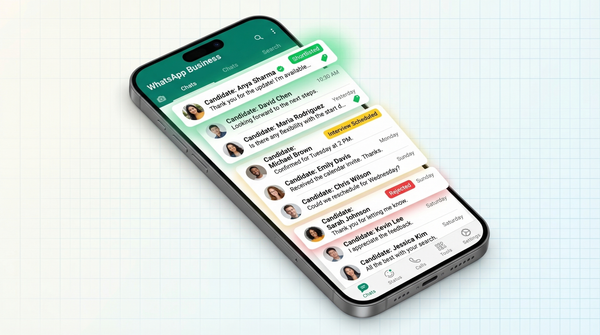
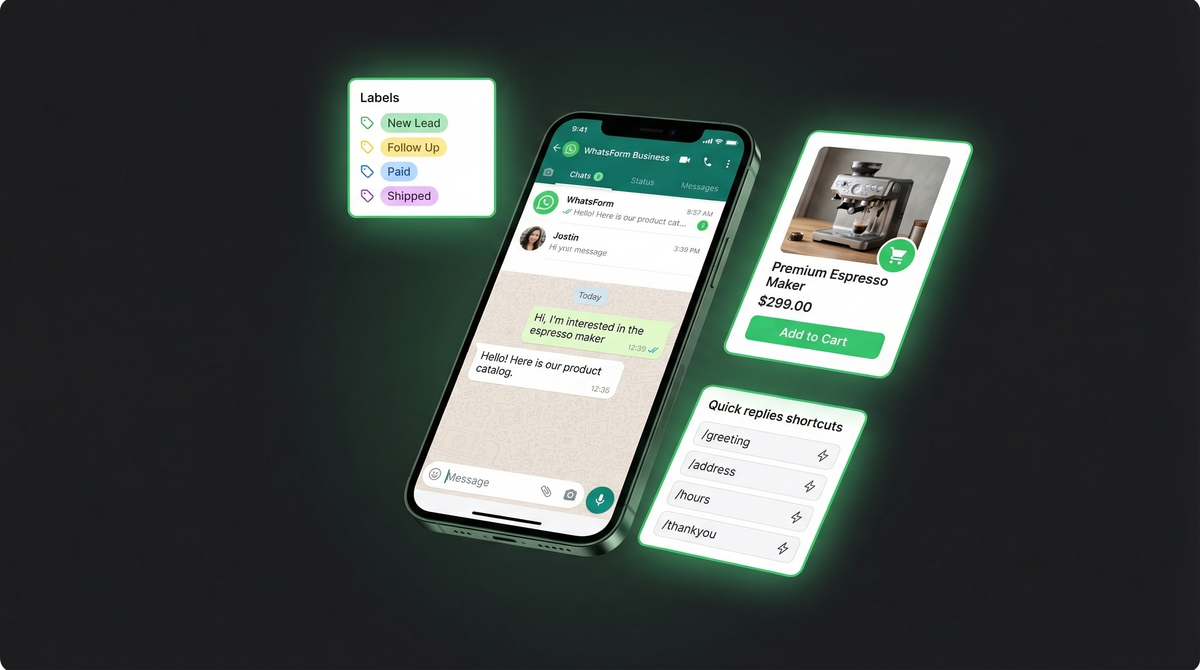
WhatsApp Business lets you tag conversations with colored labels. New lead. Follow up. Paid. Shipped. You define them, you apply them, you filter by them.
Without labels, your inbox is a pile. With labels, it's a pipeline. You can tap "Follow up" and see every customer you haven't closed yet. You can tap "Shipped" and confirm deliveries in one sweep, without scrolling through hundreds of chats.
To create a label: open any chat, tap the three dots, and select "Label chat." You can create custom labels with custom colors. Once set up, managing your inbox actually feels manageable.
Catalog: your mini storefront inside WhatsApp
If you've never set up your catalog, you're leaving real money on the table.
WhatsApp Business lets you list products or services directly inside the app. Each item gets a name, photo, price, description, and a product code. Customers can browse your catalog from your profile, add items to a cart, and share specific products with others.
No website needed. No link to an external store. No switching apps. Just tap Catalog in your Business Tools and start adding.
Small shops close sales entirely inside WhatsApp all the time because a customer could see a product, ask one question, and confirm the order in the same thread. That's the catalog doing its job. If you run a WhatsApp order flow, the catalog is your product menu.
Quick replies: stop typing the same thing 50 times
How many times have you typed "Thank you for reaching out! Our business hours are Monday to Friday, 9am to 6pm"?
Quick replies are saved messages you trigger with a keyboard shortcut. Type /hours and your full opening hours message fills in automatically. Type /payment and your bank transfer details appear. Type /price and your pricing structure drops in, ready to send.
To add one: go to Business Tools, then Quick Replies. Set a shortcut, write the full message, save. You can have as many as you need.
This single feature can cut your daily response time in half if you handle a lot of repeat queries. The shortcut system works in both the app and WhatsApp Web.
Greeting messages: your automatic first impression
When someone messages your business for the first time, you might not be there to respond. The greeting message handles that for you.
It fires automatically the moment a new contact reaches out. You can use it to introduce your business, set expectations, or share a quick list of what you offer. Done well, it buys you time without leaving the customer hanging.
Go to Business Tools, Greeting Message, toggle it on, and write your message. Keep it short and actually useful. "Hi! We'll get back to you shortly" wastes the opportunity. "Hi! We make custom cakes in Bangalore. Reply with MENU to see our options or HOURS for availability" is a greeting that works.
Away messages: set your hours, let the app answer
Away messages work like out-of-office replies. You set the schedule, write the message, and WhatsApp Business handles responses automatically when you're offline.
You can schedule away messages for outside business hours, specific time windows, or permanently. Customers get an instant reply. You get to step away without every unanswered message feeling like a lost sale.
This pairs well with greeting messages. The greeting handles first-time contacts, the away message handles everyone who reaches out when you're not around. Together, no customer ever hits silence.
There's a lot more you can do with WhatsApp auto-replies, including API-based automations. We've covered it in detail: WhatsApp auto reply for business. If you're deciding how far to automate, compare the WhatsApp Business app vs API before you overcomplicate it.
Short link and QR code: make it easy to reach you
Every WhatsApp Business account comes with a wa.me short link and a QR code. Both are criminally underused.
Put the link in your Instagram bio, your email signature, your Google Business profile, your website header. Print the QR code on your business card, your packaging, your shop window, your flyers. Anyone who taps or scans opens a direct chat with your number, no number-saving required.
The short link format is https://wa.me/[your number]. You can pre-fill a message too, so the customer's first text is already written when the chat opens. That's a small thing that quietly removes a lot of friction.
We've compiled a list of free WhatsApp tools that help you generate better short links, custom QR codes, and click-to-chat buttons. If you want the product side of that workflow, this help center guide shows how to get a QR code for your WhatsForm.
WhatsApp Web: manage everything from your computer
If you're handling volume, your phone is a bottleneck.
WhatsApp Web mirrors your WhatsApp Business on any desktop browser. Full keyboard, bigger screen, easy copy-paste, multiple chats visible at once. You can reply to ten messages in the time it takes to type two on your phone.
Go to web.whatsapp.com, scan the QR code with your phone, and you're in. Your quick replies, labels, and catalog are all there. Some people also use the desktop app (available on Mac and Windows) for the same experience without a browser tab.
Not glamorous advice. But switching to desktop will genuinely make you faster.
Statistics: know if anyone's actually reading what you send
There's a stats screen buried in WhatsApp Business that most people have never opened.
It shows how many messages you've sent, delivered, read, and received. It won't replace Google Analytics. But it answers the question that actually matters for direct messaging: are people reading what I'm sending?
If your read rate is low, you might be messaging too often, at the wrong time, or with content that's not relevant. If it's consistently high, your audience is engaged and the channel is working. Open Business Tools, scroll down to Statistics, and take a look.
The feature WhatsApp Business doesn't have: structured forms
Here's the real gap, and it's worth naming clearly.
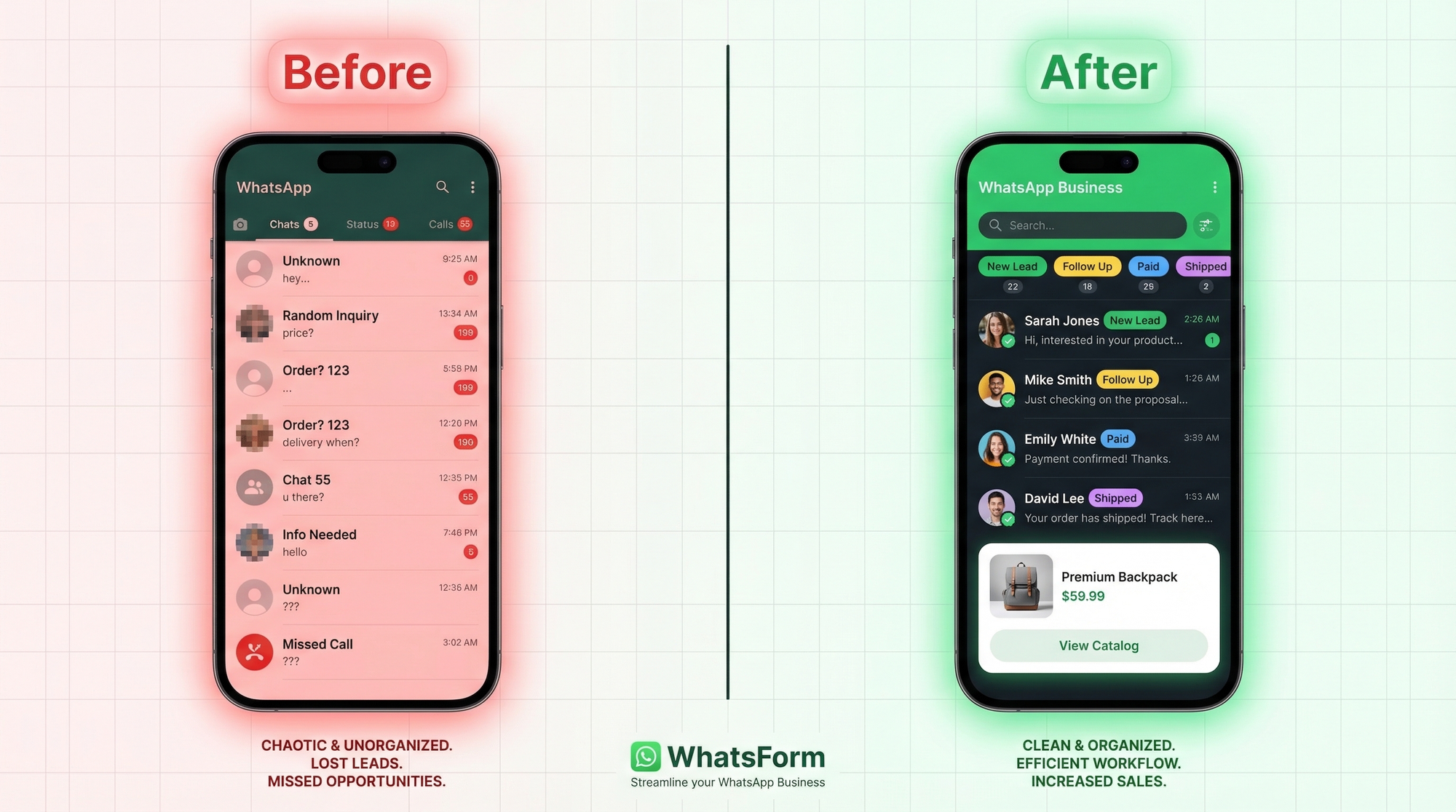
WhatsApp Business is great for conversation. It's terrible for collection. When you need structured information from a customer, an order, a booking, a lead, an application, you're stuck asking questions one by one and hoping they answer completely. The data arrives fragmented, across multiple messages, in no particular format.
There's no native form tool in WhatsApp Business. You either chase answers in a thread or push people to a separate form link and hope they come back.
That's the problem we built WhatsForm to solve. Full disclosure: we built it.
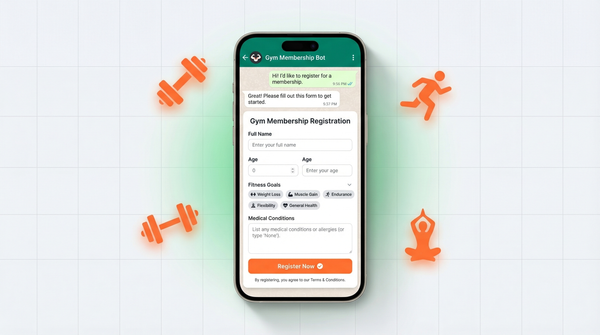
WhatsForm lets you create a form that opens directly inside WhatsApp. The customer fills it in like a regular form. You get all the answers in one clean submission. Name, phone, address, order details, service preferences, custom fields. No back-and-forth needed.
It works for order collection, appointment booking, lead capture, feedback, job applications. Anywhere you'd normally send a Google Form, you can use a WhatsForm instead. And since it opens inside WhatsApp, completion rates are significantly higher than external links.
You can get started for free at whatsform.com. The app is on Android and iOS. If your site runs on WordPress, there's a free plugin too.
If you want a walkthrough, our help guide on how to create your first WhatsApp form covers the whole setup in a few minutes.
The full WhatsApp Business features list
WhatsApp Business is not just regular WhatsApp with a business badge. It's a customer management layer most small businesses are barely touching.
Labels, catalog, quick replies, greeting and away messages, short links, desktop access, basic analytics. These features are all free, already in the app, already waiting for you to use them.
And if you want to start collecting structured data from the customers you're already talking to, WhatsForm makes that the next logical step.