How to create a feedback form for WhatsApp
Email surveys get 20% open rates. WhatsApp messages get 98%. Here is how to create a feedback form that sends responses straight to your WhatsApp inbox.

Most businesses send a feedback survey over email. Most customers never open it.
The open rate for email surveys hovers around 20%. WhatsApp messages get opened 98% of the time. That is not a small difference. That is a completely different channel with completely different results.
When you collect feedback via WhatsApp, you are meeting your customers where they already are. The result is 3-5x more responses than email surveys, and responses that actually reflect what customers think instead of what they vaguely remember weeks later.
Why feedback on WhatsApp works
Think about how your customers already interact with you. They place orders, ask questions, and get support over WhatsApp. It is the channel they associate with your business. Sending a feedback form there feels like a natural follow-up, not a marketing blast from a faceless system.
There is no app to download. No new account to create. No email inbox to dig through. The form arrives in the same chat thread where you just helped them. That context is everything.
Compare this to email, where feedback requests compete with newsletters, receipts, and spam. On WhatsApp, your message lands in a personal conversation. It feels direct. It feels like you care enough to ask personally. That is why response rates are so much higher. We explored this in detail when we compared WhatsApp and email for engagement.
Types of feedback forms
Not every business needs the same kind of feedback. Here are the most common types we see people building with WhatsForm.
- Post-purchase feedback. Sent after an order arrives. Asks about product quality, delivery speed, and overall satisfaction.
- Post-service feedback. Sent after a booking, appointment, or consultation. Asks about the experience, the team, and whether they would return.
- NPS survey. A single question: how likely are you to recommend us to a friend? Simple, fast, and incredibly useful for tracking loyalty over time.
- Product feedback. Deeper questions about features, usability, and what customers wish the product could do.
- Complaint form. A structured way for unhappy customers to tell you what went wrong so you can fix it before they leave a public review.
You do not need all of these at once. Start with one that fits your most common customer interaction. If you want examples, our guides on WhatsApp customer surveys and WhatsApp booking forms show how the structure changes based on the job the form needs to do.
What to ask
The biggest mistake in feedback forms is asking too much. A customer who just received their delivery is happy to tap a few stars. They are not going to write three paragraphs.
Keep it to five fields or fewer. Here is a structure that works well:
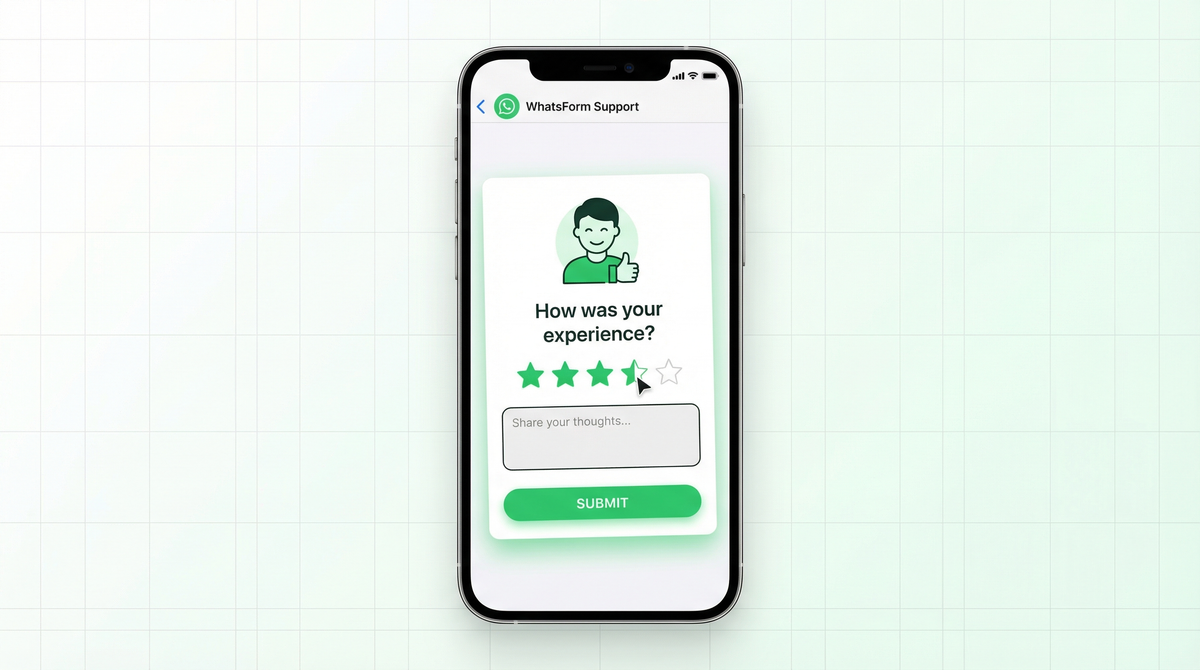
- Overall rating (1-5 stars)
- What did you like? (short text)
- What could we improve? (short text)
- Would you recommend us? (yes/no or 1-10 scale)
- Any other comments? (optional)
That is it. When the form is short, people actually fill it out. When responses pile up, you will have more than enough to work with.
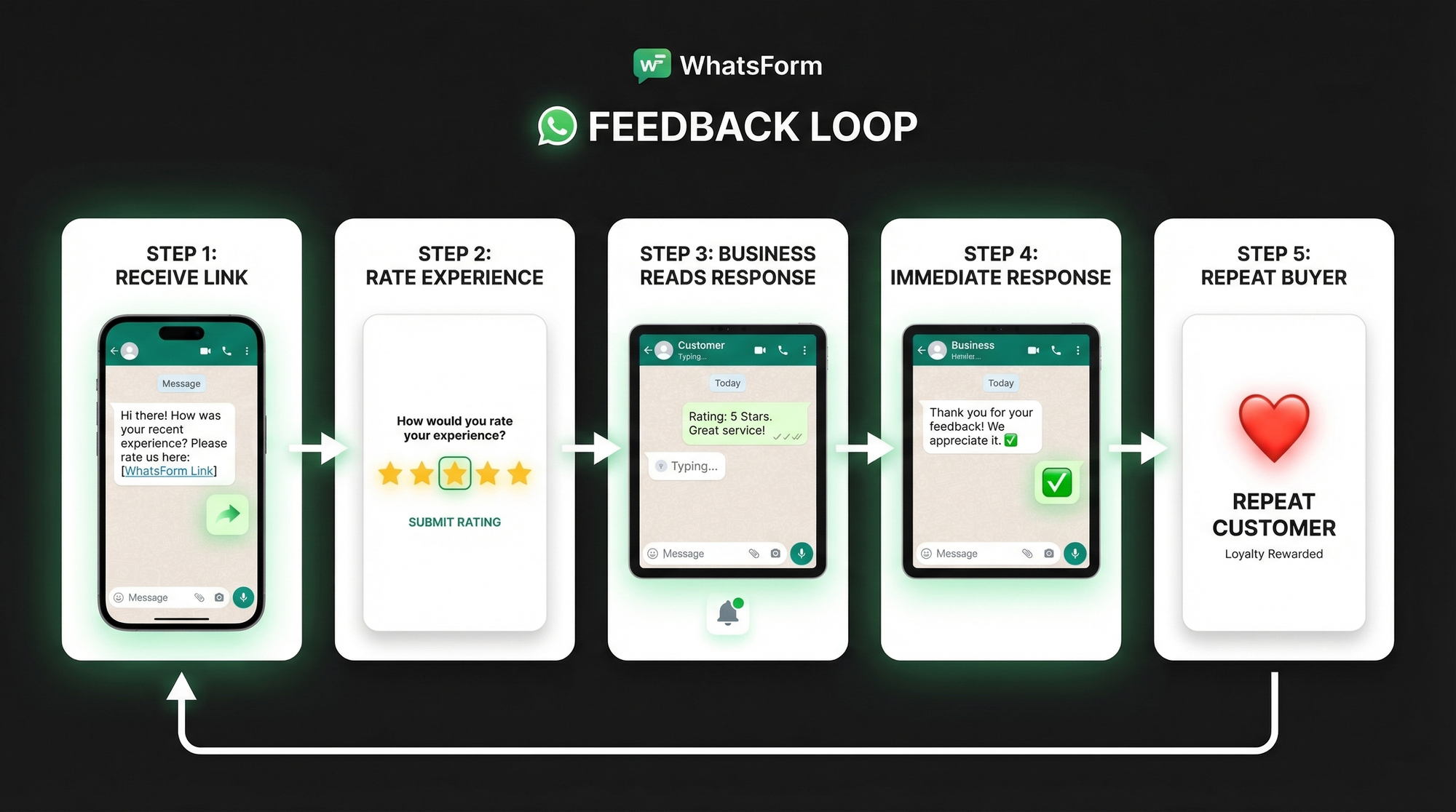
How to create a WhatsApp feedback form
Full disclosure: we built WhatsForm for exactly this. Here is how to set one up in a few minutes.
Step 1: Pick a template. Log in to WhatsForm and choose a feedback form template. There is a ready-made one with all the fields above already in place.
Step 2: Customize your fields. Add your star rating field first since that is the anchor question customers see. Then add the short text fields for what they liked and what to improve. Make the final comment field optional so it does not feel like homework.
Step 3: Connect your WhatsApp number. WhatsForm routes every response to your WhatsApp inbox as a formatted message. You will see the customer name, their rating, and all their answers in one readable bubble. No dashboard to check. No email to monitor.
Step 4: Get your form link. WhatsForm gives you a shareable URL and a QR code. You can embed it on your website, drop it in a post-purchase message, or print the QR code on your packaging. Our step-by-step help center guide walks through every option in detail.
If you want a starting point before building from scratch, check out our WhatsApp customer survey guide to see how a simple survey flow looks before you customize it for feedback collection.
Not sure what a WhatsApp form even is? We covered the basics in this introduction to WhatsApp forms.
When to send it
Timing is almost as important as the questions you ask. Send too soon and customers have not formed an opinion. Wait too long and the experience is a blur.
The sweet spot depends on your business type. For product deliveries, the same day the item arrives. For service businesses, right after the appointment ends, while the interaction is still fresh. For support teams, within an hour of a ticket being resolved, when the customer is either relieved or still frustrated.
Avoid sending feedback requests during weekends or late evenings. A message arriving at 11pm feels intrusive even on WhatsApp. Aim for the next morning if the trigger event happens after hours.
Using feedback to improve
Getting responses is the easy part. What you do with them is what separates businesses that grow from businesses that stagnate.
Start by labeling your responses. Positive, neutral, negative. Over time you will start to see patterns. Maybe most complaints are about delivery time. Maybe everyone loves the packaging but nobody mentions the product quality. These patterns are where your improvement roadmap comes from.
The most urgent action is responding to negative feedback immediately. When an unhappy customer sends a low rating and a complaint, they are still reachable. A fast personal response from you on WhatsApp can turn that experience around. Most businesses never respond. That means doing so gives you an instant advantage.
Track your average rating over time. If you make a change and ratings improve, you will see it. If a new process creates problems, you will catch it early instead of after the damage is done.
Turning feedback into testimonials
Here is the part most businesses overlook. A customer who gives you five stars and writes something glowing has just handed you marketing material. All you have to do is ask permission to use it.
When a strong response comes in, reply to that customer directly on WhatsApp and ask if you can share their words on your website or social media. Most people say yes. They feel recognized, not used. And you get authentic social proof without a formal review process.
Screenshot the WhatsApp response (with their permission) and share it as-is. The informal, conversational format actually builds more trust than a polished testimonial on a dedicated reviews page. It looks real because it is real.
Getting started
The fastest way to start collecting feedback on WhatsApp is to use a template. WhatsForm has a feedback form template ready to go. Pick it, adjust the questions to fit your business, and share the link with your next customer.
If you run a WordPress site, the WhatsForm WordPress plugin lets you embed the form directly on your thank-you page or post-purchase page. No code needed.
For a detailed walkthrough, check our help center guide on creating a WhatsApp form.
Managing responses on the go? The WhatsForm Android app and iOS app keep all your form responses organized in one place, separate from your regular WhatsApp messages.
Most businesses treat feedback as a nice-to-have. The ones that collect it consistently, act on it fast, and close the loop with customers are the ones that build real loyalty. WhatsApp is the channel that makes customers actually respond. The rest is just showing up.
Create your free feedback form on WhatsForm and send it to your next customer today. If you want to collect a rating and a payment in the same flow, read our guide on accepting payments on WhatsApp.