How to create a WhatsApp link with pre-filled message
Learn how to create wa.me links with pre-filled messages for marketing, customer support, and lead generation. Step-by-step guide with free tools.

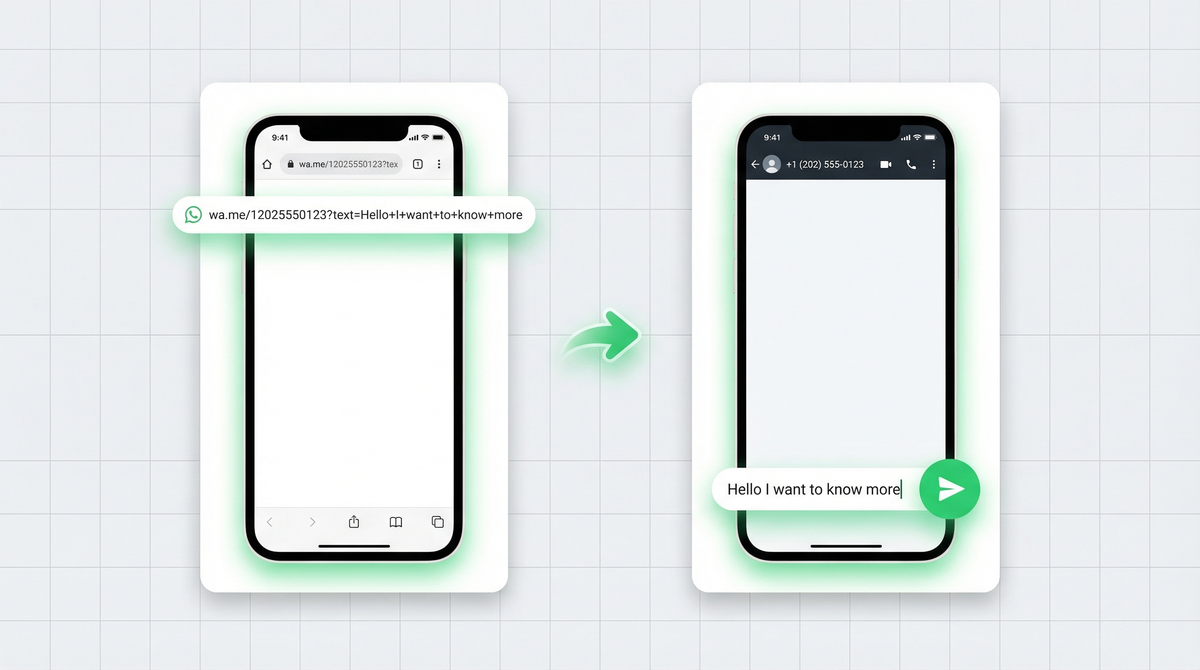
A WhatsApp link is one of those tiny things that punches way above its weight. One click, and someone lands directly in a chat with your business. No saving numbers, no searching, no friction.
But here's where most businesses leave value on the table: they share a plain link and leave the conversation blank. Add a pre-filled message and the click becomes a conversation starter, a lead qualifier, a support trigger.
This guide covers everything: what wa.me links are, how to add pre-filled text, where to use them, and when to go one step further with a WhatsApp form.
What is a WhatsApp link?
A WhatsApp link (also called a click-to-chat link) opens a direct WhatsApp conversation with a specific number. No need to save the contact. Just tap, and the chat opens.
The format is simple:
https://wa.me/[phone number]The phone number must be in international format, with the country code and no spaces, dashes, or plus signs. A US number would look like: https://wa.me/12025550123. An Indian number would be https://wa.me/919876543210.
These links work on any device, any browser. If WhatsApp is installed, it opens the app. If not, it redirects to web.whatsapp.com.
Adding a pre-filled message
A plain wa.me link opens an empty chat. A pre-filled message link opens the chat with text already typed in the message box. The user just hits send.
The format adds a ?text= parameter:
https://wa.me/12025550123?text=Hello%20I%20want%20to%20know%20more%20about%20your%20pricingNotice the %20 between words? That's URL encoding. Spaces and special characters can't go directly into a URL, so they get converted. A space becomes %20, a question mark becomes %3F, an exclamation mark becomes %21.
You don't need to memorize the encoding rules. Any good WhatsApp link generator handles this automatically. But it helps to understand what's happening so you can spot a broken link when you see one.
Use cases for pre-filled links
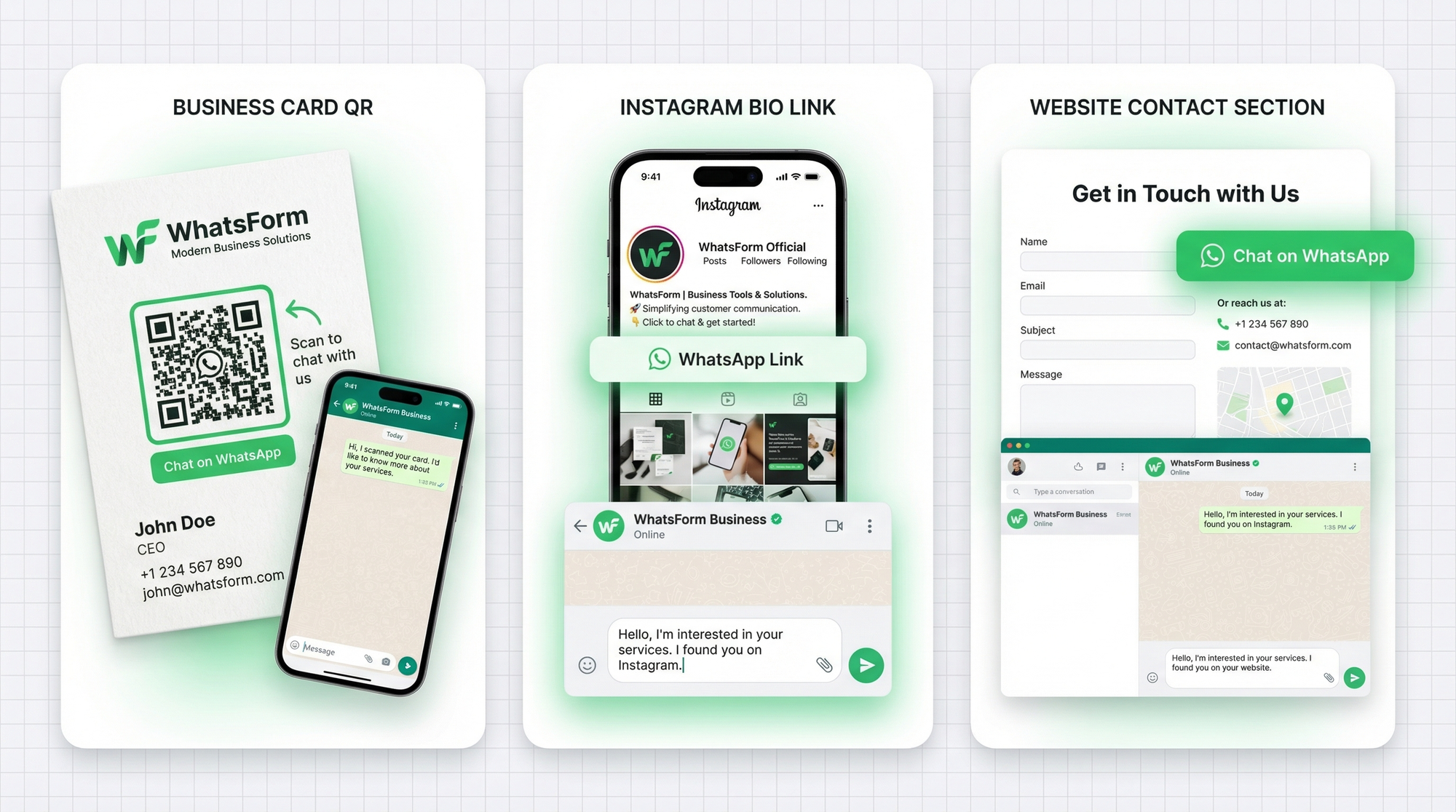
Pre-filled messages aren't just convenient. They're a conversion tool. Here's how businesses actually use them:
Product inquiry from a website. A button next to each product that opens WhatsApp with "Hi, I'm interested in [Product Name]. Can you tell me more?" The customer doesn't have to type anything. The barrier to starting a conversation drops to zero.
Support requests. Instead of a generic contact form, a button that says "Chat with support" opens WhatsApp with "I need help with my order." Faster for the customer, and your team already knows why they're writing.
Order follow-ups. Post-purchase emails with a WhatsApp link pre-filled with "I want to check the status of my order." Clean, trackable, and more personal than a ticketing system.
Campaign-specific tracking. Different pre-filled messages for different channels let you know exactly where a lead came from. More on this next.
Creating links for different campaigns
One of the smartest uses of pre-filled messages is source tracking. Use a different message per channel, and you can tell at a glance where each conversation started.
Instagram bio link:
https://wa.me/12025550123?text=Hi%20I%20found%20you%20on%20InstagramQR code on a printed flyer:
https://wa.me/12025550123?text=Hi%20I%20scanned%20your%20flyer%20QREmail campaign:
https://wa.me/12025550123?text=Hi%20I%20got%20your%20email%20about%20the%20offerEach message tells your team exactly where this person came from. No UTM tags, no analytics dashboard. Just read the first message and you know the source.
WhatsApp link generator tools
You don't need to write these URLs by hand. A good link generator handles the phone number formatting, URL encoding, and preview all in one place.
Full disclosure: we built one. WhatsForm has a free WhatsApp link generator that takes your number and message, encodes everything correctly, and gives you a ready-to-use link. No account needed, no coding required.
You can find it alongside other free WhatsApp tools in our free WhatsApp tools roundup. If you're moving an existing workflow, our guide on converting a Google Form to WhatsApp shows how to turn responses into chats instead of emails. Bookmark both. You'll use them more than you expect.
Adding links to your website, email, and social media
Where you place the link matters as much as the link itself. Here's what works:
Website. A sticky "Chat on WhatsApp" button in the bottom corner is the highest-converting placement. Also add contextual buttons next to products, services, or contact forms. The closer to a decision point, the better.
Email. A WhatsApp CTA in your email signature or at the bottom of newsletters works well for warm audiences. Pre-fill the message with something contextual: "I saw your email about [offer] and I'm interested."
Instagram bio. You only get one link. A WhatsApp link with a pre-filled "Hi, I came from Instagram" message is often more valuable than a website link, especially for service businesses where the sale starts with a conversation.
Google Business Profile. Add your WhatsApp link as a custom button. People searching locally are often ready to reach out immediately.
The rule of thumb: put the link as close to the moment of intent as possible. The longer someone has to search for a way to contact you, the more likely they are to leave. If you want to place it on your site cleanly, see how to add a WhatsApp button to your website. If your site runs on WordPress, our WordPress guide walks through the easiest setup.
QR codes from WhatsApp links
Any wa.me link, including ones with pre-filled messages, can be turned into a QR code. This opens up offline use cases that a URL alone can't reach.
Print the QR code on your:
- Business cards ("Scan to chat with us")
- Restaurant or cafe menus ("Order via WhatsApp")
- Product packaging ("Need help? Scan here")
- Event banners and posters
- Physical storefronts and checkout counters
Any free QR code generator online will work. Paste your wa.me link, generate, download, and print. If you want more business use cases, read how to use WhatsApp QR codes for your business. If you're using WhatsForm, every form and link gets its own QR code automatically. See our help article on getting a QR code for your WhatsForm for the exact steps.
Level up: WhatsApp forms instead of just links
A pre-filled link is a great start. But it still relies on the customer to type anything beyond the first message. If you need specific information, a name, an order number, a preferred date, it becomes a back-and-forth conversation.
That's where WhatsApp forms come in.
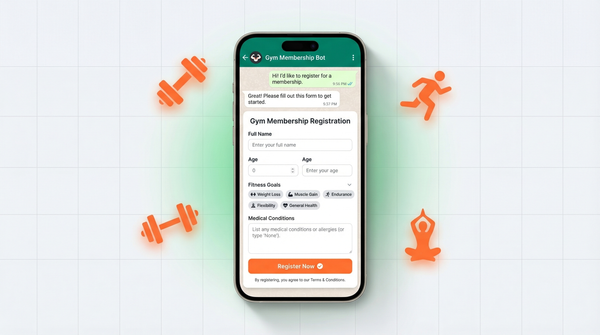
Instead of just opening a chat, a WhatsForm link opens a short structured form. The customer fills in their name, email, what they need, and submits. All that data lands in your WhatsApp chat in one clean message. No chasing, no follow-up questions.
It's the difference between starting a conversation and starting a qualified conversation.
We built WhatsForm exactly for this. Read more about what a WhatsApp form is and why it works better than a plain link for high-intent situations. If you also need to collect money inside the flow, our guide on accepting payments on WhatsApp shows how to do that without adding more back-and-forth. Or check the help article on how to share your WhatsForm URL.
If you're running lead generation campaigns, a WhatsApp form will outperform a plain link almost every time. Our WhatsApp lead generation guide has the full breakdown.
Ready to build your first link?
For a detailed walkthrough, check our help center guide on sharing your form link.
Start with the free WhatsApp link generator. Create a link, add a pre-filled message, test it on your own phone, and drop it wherever your customers can find it.
When you're ready to collect more than a single opening message, create your first WhatsApp form at WhatsForm.com. Free to start, no credit card needed.
Available on Android, iOS, and as a WordPress plugin.