WhatsApp for Business: The Complete Guide

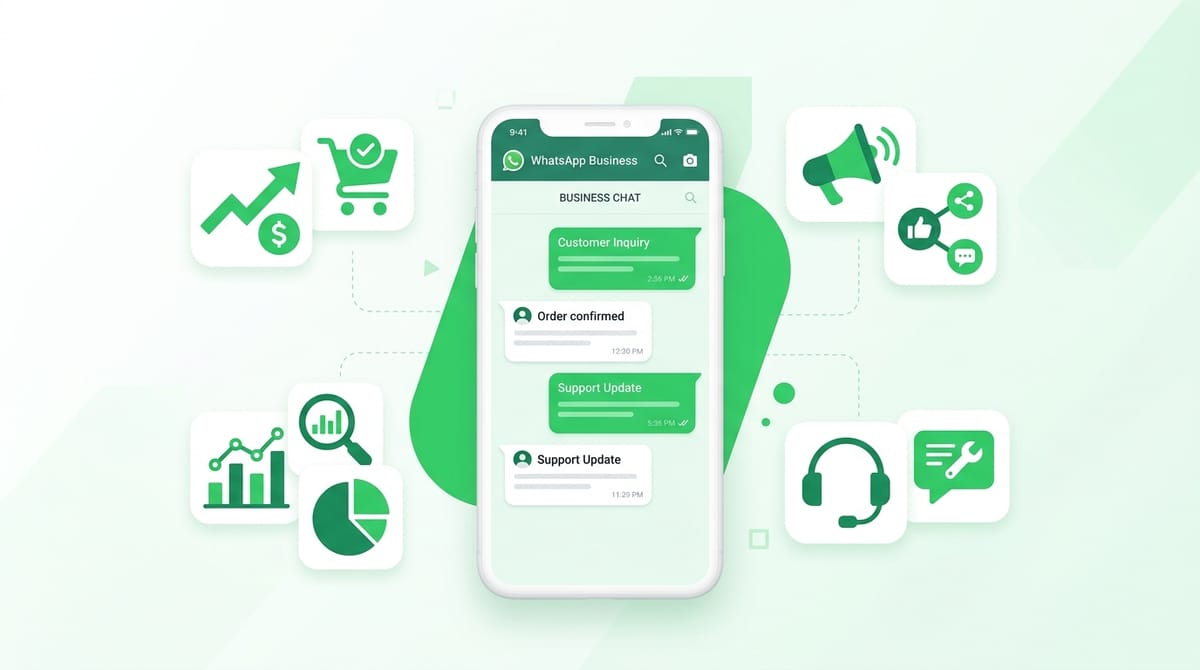
WhatsApp has 2 billion active users. More businesses are using it to acquire customers, close deals, and deliver support than ever before. If you are not using WhatsApp for business yet, you are leaving money on the table.
This guide covers everything: the difference between WhatsApp Business and the API, how to set it up properly, how to use it for sales, marketing, lead generation, and customer service, plus the automation basics that make it all scalable.
Whether you are just getting started or looking to get more from WhatsApp, this is the only guide you need.
WhatsApp Business vs WhatsApp Business API: What Is the Difference?
This is the most common point of confusion, so let us clear it up first.
WhatsApp Business (the free app)
WhatsApp Business is a free app, available on Android and iOS, designed for small businesses. It works just like regular WhatsApp but adds a few business-specific features: a business profile, a product catalog, quick replies, and automated messages.
It is ideal for:
- Solopreneurs and freelancers
- Small businesses with a single person handling conversations
- Businesses just getting started on WhatsApp
The main limitation: one phone, one user. You cannot have multiple agents responding from the same number, and you cannot send broadcasts to people who have not saved your number.
WhatsApp Business API
The WhatsApp Business API is designed for medium and large businesses. It is not an app you download. It is a connection you build (or get through a platform) that lets you integrate WhatsApp with your CRM, helpdesk, or custom system.
It is ideal for:
- Businesses with high message volume
- Teams with multiple support or sales agents
- Companies that want to automate conversations, send campaigns, and build chatbots
The API gives you broadcast messaging to opted-in contacts, multi-agent inboxes, chatbot flows, and deep integrations. It requires a Meta Business account and is typically accessed through a Business Solution Provider such as Twilio, WATI, or 360dialog.
You can also access the API directly through Meta's Cloud API, which requires no third-party provider.
Quick decision guide: If you have fewer than 500 conversations a month and one person handling them, use the app. If you are scaling, go with the API.
How Businesses Actually Use WhatsApp
WhatsApp is not just a customer service channel. Businesses are using it across the entire customer journey.
- Customer support: Answering questions, resolving issues, handling returns
- Sales: Qualifying leads, sending proposals, following up, closing deals
- Marketing: Sending promotions, product launches, newsletters to opted-in contacts
- Order updates: Shipping confirmations, delivery notifications, appointment reminders
- Lead capture: Getting contact information from website visitors and ad traffic
- Onboarding: Walking new customers through getting started
The businesses getting the most out of WhatsApp are using it across all of these, not just one.
Setting Up WhatsApp Business the Right Way
Most businesses set up WhatsApp Business in five minutes and leave it at that. That is a missed opportunity. Here is what a proper setup looks like.
Your Business Profile
Your profile is the first thing people see. Fill it out completely:
- Business name (use your actual brand name)
- Category (pick the most accurate one)
- Description (one or two sentences on what you do and who you help)
- Address, website, and email
- Business hours
A complete profile builds trust. Incomplete profiles look abandoned.
Your Product Catalog
WhatsApp Business has a built-in product catalog. You can list your products or services with photos, descriptions, and prices. Customers can browse your catalog directly in the chat without leaving WhatsApp.
This is underused. If you sell products or have a clear set of services, get them in the catalog. It shortens the sales cycle significantly.
Quick Replies
Quick replies are shortcuts for messages you send often. Type a slash followed by your shortcut and the full message appears. Set these up for:
- Answering FAQs about pricing, delivery time, and return policy
- Sending your website link or portfolio
- Sharing onboarding instructions
- Any message you find yourself typing more than once a week
Away Messages and Greeting Messages
Away messages auto-send when someone messages outside your business hours. Greeting messages go out to new contacts reaching out for the first time.
Set both. An away message that says "We are off right now but will respond by 9 AM tomorrow" beats silence every time. A greeting message can include a link to your catalog, FAQ, or a form to capture what the person needs.
WhatsApp for Lead Generation
WhatsApp is one of the highest-converting channels for lead capture. When someone sends you a WhatsApp message, you have their phone number, their name, and a direct line to their most-used app.
How leads come in via WhatsApp
There are several ways to drive leads into WhatsApp:
- Click-to-WhatsApp ads: Facebook and Instagram ads with a "Message on WhatsApp" CTA. These land prospects directly in your WhatsApp chat.
- WhatsApp links on your website: A button or link that opens a pre-filled WhatsApp conversation.
- QR codes: On packaging, signage, business cards, and print ads.
- Forms that deliver to WhatsApp: This is where tools like WhatsForm become genuinely useful.
Using forms to capture WhatsApp leads
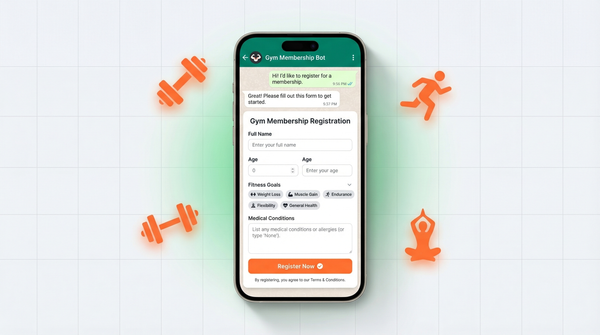
WhatsForm lets you create forms that deliver responses directly to WhatsApp. Instead of form submissions going to an email inbox nobody checks, they land in your WhatsApp as a message. You can reply instantly, in the same place you are already working.
This is particularly effective for service businesses, consultants, and anyone who sells through conversations. The friction is low because people are already on WhatsApp. The response rate is high. And you can follow up in seconds rather than hours.
Put a WhatsForm link in your Instagram bio, at the end of blog posts, or in your email signature. Every form submission becomes a WhatsApp conversation you can act on immediately.
The lead capture formula that works
The best WhatsApp lead gen setup is straightforward: drive traffic to a simple form or link, have the first message be automatic (a greeting or quick question), and follow up within five minutes. Response time is everything in WhatsApp lead conversion.
WhatsApp for Sales
WhatsApp is the most personal sales channel available. You are in someone's messages, next to texts from their family. That proximity is an advantage if you use it correctly.
The WhatsApp sales funnel
A simple WhatsApp sales flow looks like this:
- Lead comes in via ad, form, or link
- Qualification: Ask two or three questions to understand their need and budget
- Pitch: Send a voice note, a short video, or your catalog
- Handle objections in chat
- Close: Send a payment link or booking link directly in the conversation
Tips for closing deals on WhatsApp
- Use voice notes. A 60-second voice note is warmer and more personal than a wall of text. It builds trust faster.
- Send media strategically. Product photos, before-and-after images, short demo videos. Keep them relevant, not spammy.
- Follow up, but not aggressively. One follow-up after 24 hours if no reply. Then one more after 3 days. After that, move on.
- Make paying easy. Drop a payment link directly in the chat. Reduce steps to zero.
The biggest mistake in WhatsApp sales is treating it like email. Keep messages short. Be conversational. Ask questions. Respond fast.
WhatsApp for Marketing
WhatsApp marketing is not the same as email marketing. Open rates on WhatsApp hover above 90%. Compare that to 20-25% for email. The channel is more intimate and less cluttered.
Broadcasts and newsletters
With the WhatsApp Business app, you can send a broadcast to up to 256 contacts at once. The message arrives as an individual chat from you, not a group message. Recipients must have your number saved for it to deliver.
With the API, broadcast limits are higher and you can send to opted-in contacts who may not have saved your number.
WhatsApp newsletters are growing fast. Businesses are sending weekly or bi-weekly messages with tips, offers, product news, and behind-the-scenes content. If your list is engaged, WhatsApp is one of the highest-ROI marketing channels available.
Building a WhatsApp subscriber list
- Add a WhatsApp opt-in to your website (alongside or instead of email)
- Use click-to-WhatsApp ads with a lead magnet
- Ask customers at checkout or post-purchase if they want updates on WhatsApp
- Run a giveaway or offer an exclusive discount for WhatsApp subscribers
What to send
Keep it valuable and keep it short. Nobody wants a 500-word WhatsApp message. Send:
- Flash sales and time-sensitive offers
- New product or service announcements
- Tips and quick wins relevant to your audience
- Behind-the-scenes content that builds connection
- Customer stories or testimonials
The rule: if you would not forward it to a friend, do not send it to your list.
WhatsApp for Customer Service
Customers prefer WhatsApp for support. It is faster than email, less formal than phone, and they do not have to sit on hold. If you are not offering WhatsApp as a support channel, you are making customers work harder than they should.
Response times matter
WhatsApp has trained users to expect fast replies. Aim for under 5 minutes during business hours. Use away messages with realistic timelines outside of those hours. If you cannot respond that quickly, use quick replies and chatbots to buy time and gather information before a human steps in.
Handling complaints on WhatsApp
The rules are simple:
- Acknowledge the issue immediately. Something like: "I can see why this is frustrating. Let me look into it right now."
- Do not be defensive. Listen first.
- Solve it in the chat if you can. Avoid saying "please email us" or "fill out this form." That kills trust.
- Follow up after resolution. A quick message two days later asking if everything is okay turns a bad experience into a loyal customer story.
Building a WhatsApp FAQ system
Use quick replies for your top ten most common questions. If you have the API, you can build a simple chatbot menu where customers select their issue type and get an instant answer. This deflects a significant portion of support volume before a human ever needs to respond.
WhatsApp Automation Basics
Automation is where WhatsApp goes from a communication tool to a business system. You do not need to be technical to get started.
Chatbots
With the WhatsApp Business API, you can build chatbots that handle entire conversation flows: qualifying leads, booking appointments, answering FAQs, and collecting payment. Tools like WATI, Landbot, and ManyChat support WhatsApp chatbot building without needing to write code.
CRM integrations
Connect WhatsApp to your CRM (HubSpot, Pipedrive, Salesforce) so every conversation is logged automatically. New leads from WhatsApp get added to your pipeline. Follow-up reminders trigger based on conversation status. This is the difference between a WhatsApp inbox and a WhatsApp business system.
Zapier and Make integrations
With tools like Zapier or Make, you can connect WhatsApp to almost anything: Google Sheets, Notion, Airtable, email, Slack. A common use case: a form submission triggers a WhatsApp message to your sales team. Another: a new order in your store sends an automatic order confirmation on WhatsApp.
Common Mistakes Businesses Make on WhatsApp
Knowing what not to do saves you from damaging the one channel that actually gets read.
- Sending unsolicited messages. Only message people who have opted in or who have reached out to you first. WhatsApp takes spam seriously and will ban numbers that receive too many complaints.
- Being too formal. WhatsApp is a personal channel. Corporate language feels out of place. Write the way you would talk.
- Ignoring response time. Slow replies on WhatsApp kill conversions. If you cannot respond quickly, automate the first touch.
- Using it only for one thing. Businesses that only use WhatsApp for support miss the sales and marketing upside. Use it across the customer journey.
- Not building a list. Your WhatsApp contacts are a valuable asset. Treat them like a list, not just a support queue.
- Sending walls of text. Short messages, clear questions, one thought per message. Long blocks of text are hard to read on mobile.
- Skipping the profile setup. An incomplete profile looks unprofessional. Fill it out completely before you send a single message.
Getting Started Checklist
If you want to start using WhatsApp for business properly, here is your action list:
- Download WhatsApp Business and create your account with a dedicated business number
- Complete your business profile (name, description, hours, website, category)
- Set up a greeting message and away message
- Add your top ten most common responses as quick replies
- Upload your product or service catalog
- Add a WhatsApp link or button to your website and social profiles
- Set up a form with WhatsForm to start capturing leads directly into WhatsApp
- Create a simple broadcast list and send your first message to existing customers
- Connect WhatsApp to your CRM or use Zapier to automate your first workflow
- Review your setup monthly and add quick replies for new FAQs as they come up
None of this takes more than a few hours to set up. The businesses that invest that time consistently outperform the ones that treat WhatsApp as an afterthought.
Start Capturing Leads on WhatsApp Today
WhatsApp is the highest-engagement channel most businesses are barely using. The opportunity is real, the barrier to entry is low, and the results compound over time as your contact list grows.
The best place to start is lead capture. Get people into your WhatsApp, start conversations, and build from there.
WhatsForm makes this simple. Create a form, share the link, and every submission lands directly in your WhatsApp as a message you can reply to instantly. No email inbox lag, no lost leads, no friction.
Try WhatsForm free and set up your first WhatsApp lead capture form in minutes.