How to Send a WhatsApp Newsletter (And Why It Works Better Than Email)

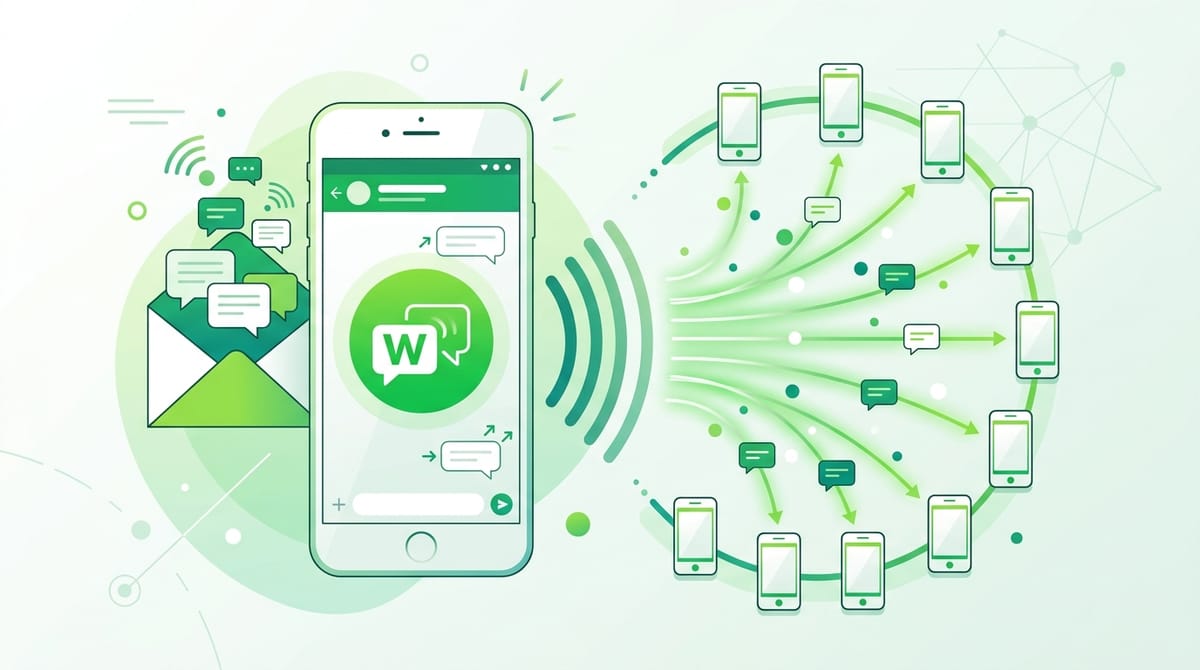
Your email open rate is probably around 20%. Your WhatsApp open rate could be 98%. You do not need a spreadsheet to figure out which channel deserves more of your attention.
WhatsApp has over 2 billion active users. Most of them check it constantly. Messages arrive with a notification ping, get read within minutes, and feel personal in a way that a newsletter sitting in a promotions tab simply does not.
If you are already running an email newsletter, adding a WhatsApp newsletter is not a replacement strategy. It is an upgrade. This guide shows you exactly how to do it.
What Is a WhatsApp Newsletter?
Let us clear something up before we go further. A WhatsApp newsletter is not a group chat. It is not you adding customers to a WhatsApp group where everyone can see each other and reply to the whole room. That would be chaos.
A WhatsApp newsletter is a broadcast. You send a message to a list of opted-in contacts. Each recipient gets it as a private, one-on-one message in their chat. They can reply to you directly. Nobody else sees their response. It looks and feels like a personal message, even when you are sending it to hundreds of people.
Think of it like a text message with reach. That combination is what makes it powerful.
WhatsApp Newsletter vs Email Newsletter
Here is an honest comparison so you know what you are getting into.
Open rates
Email: around 20% on a good day. WhatsApp: consistently reported at 90 to 98%. The difference is not a rounding error. It is a different channel entirely.
Personalization
Both channels support personalization. WhatsApp has an edge because the medium itself feels intimate. People are used to receiving messages from friends and family on WhatsApp. When your brand shows up in the same space, it carries a different weight than an email from a company domain.
Response rates
WhatsApp wins here too. Replies on WhatsApp are frictionless. One tap and the person is in a conversation with you. Email replies require more effort and often get buried. If you want two-way engagement, WhatsApp is not even close.
Limitations
WhatsApp is not email. You cannot send long walls of HTML. Formatting is limited. You cannot embed complex templates or track opens the same way. And if you are using the WhatsApp Business API, message templates need approval. There is also a higher bar for consent, which we will cover later. These are manageable constraints, not dealbreakers.
How to Build Your WhatsApp Newsletter Subscriber List
This is where most people get stuck. You cannot just import your email list into WhatsApp. People have to actively opt in with their WhatsApp number. Here is how to build that list.
Use a form (this is the most effective method)
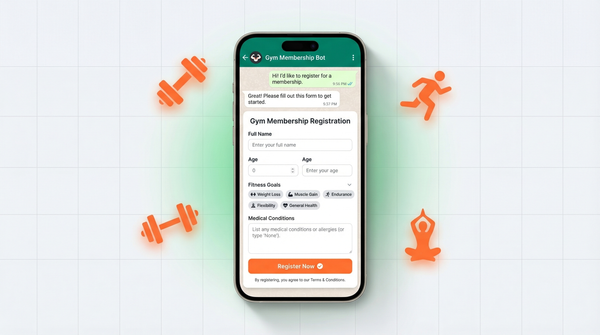
A simple opt-in form on your website, in your email signature, or linked from your social profiles is the cleanest way to collect subscribers. The form captures the person's name, WhatsApp number, and consent.
This is exactly what WhatsForm is built for. WhatsForm lets you create forms that deliver responses directly to WhatsApp. Someone fills in your opt-in form, and you get their details straight into your WhatsApp inbox. No spreadsheet intermediary, no manual copying, no delay. The subscriber list builds itself as you go.
QR codes
If you have a physical presence, a QR code on packaging, receipts, or in-store displays is an easy way to drive opt-ins. Scan, fill, subscribed. Works well for retail and food and beverage brands.
Website opt-in widgets
A WhatsApp opt-in button or pop-up on your website can convert site visitors into WhatsApp subscribers. Offer something in exchange, like an exclusive tip, a discount code, or early access to a sale.
Existing customers
If you already have a customer list with WhatsApp numbers and proper consent on record, that is your starting point. Do not assume consent though. Make it explicit. A quick message asking them to confirm they want to receive updates is good practice and good ethics.
How to Set Up a WhatsApp Newsletter: Two Methods
Before you start sending, you need to pick your setup. WhatsApp gives you two ways to broadcast to multiple people, and they work very differently. Here is what each one is and how to get started.
Method 1: WhatsApp Channels
WhatsApp Channels is a public, one-way broadcast feature. Think of it like a Telegram channel. People follow your channel and receive updates from you. They cannot reply to the channel, and you cannot see who is following. It is designed for reach, not conversation.
You will find it in the Updates tab inside the WhatsApp app.
How to create a WhatsApp Channel:
- Open WhatsApp and tap the Updates tab (bottom of the screen).
- Tap Channels, then tap the + icon or "Create channel."
- Add your channel name, a short description, and an icon.
- Tap Create. Your channel is live.
Anyone on WhatsApp can find and follow your channel. You can share the link publicly to grow your followers.
Who it is for: Businesses that want a public, discoverable broadcast presence. Good for news updates, product launches, or content you want the world to see.
Limitations: Strictly one-way. No replies. Followers are anonymous to you, so you have no way to follow up individually. It is less personal than other methods.
Method 2: WhatsApp Broadcast Lists
Broadcast Lists are a hidden but genuinely powerful feature. You create a list of contacts and send one message that goes to all of them simultaneously. Here is the key part: each person receives your message as a private, one-on-one chat. Not a group. Not a forward. A personal message.
This is the closest thing WhatsApp has to a traditional newsletter, and it feels far more personal than a channel.
How to create a Broadcast List:
- Open WhatsApp and tap the three dots menu (Android) or the compose icon (iPhone).
- Select "New Broadcast."
- Select the contacts you want to include.
- Tap the checkmark or Create.
- Send your message from the broadcast list as you normally would.
Important caveat: Recipients only receive your broadcast if they have your number saved in their contacts. If they do not have you saved, the message will not reach them. This is a hard WhatsApp limitation.
Who it is for: Businesses with existing customer relationships. If your contacts know you and have your number saved, this feels like a personal message from a real person rather than a blast from a brand.
Limitations: Contacts must have your number saved. WhatsApp Business limits each list to 256 contacts. For larger lists, you will need multiple broadcasts or the WhatsApp Business API.
Which method should you use?
Simple answer: most businesses should use both, for different purposes.
Channels are for public reach and discoverability. People who find you organically, strangers who follow your updates, audiences you are building from scratch. Broadcast Lists are for existing relationships where you want the personal feel of a one-on-one message.
Start with Broadcast Lists if you have existing customers or contacts. Set up a Channel if you want a public presence people can discover and follow. As you grow, use both in parallel.
What to Send in Your WhatsApp Newsletter
WhatsApp is not the place for a 1200-word essay. People are on their phones, often in between doing something else. Short, specific, and useful wins every time.
Here are content types that work well:
- Exclusive offers: A discount or deal that subscribers get before anyone else. This makes the subscription feel valuable. Give people a reason to stay opted in.
- Tips and how-tos: One practical tip they can use today. Not five. One. If your audience is business owners, send them a WhatsApp marketing tip. If they are fitness fans, send a quick workout hack.
- Product or feature updates: Announce a new product, a restock, or a feature launch. Keep it to two or three sentences. Link out if they want more.
- Behind-the-scenes stories: A short peek at something happening in your business. People follow people, not logos. Personality here goes a long way.
- Polls and questions: Ask something. "Which of these would you want us to build next?" or "Quick question: do you prefer morning or evening content?" Replies give you useful data and remind your subscribers that there is a real person on the other end.
How Often Should You Send?
Weekly is the sweet spot for most businesses. Often enough to stay top of mind, infrequent enough that people do not start feeling like you are that friend who texts too much.
Daily is almost always too much. WhatsApp feels intimate. Messages that arrive every single day start to feel like spam, even if the content is good. The intimacy that makes WhatsApp powerful is also what makes overuse of it damaging.
Bi-weekly works well for product-heavy businesses with lots to share. Monthly is fine if each message is high value, but you risk being forgotten between sends.
The rule: send when you have something genuinely useful to say. Do not fill a cadence for the sake of it.
WhatsApp Newsletter Best Practices
Keep it short
If your message needs to be scrolled, it is probably too long. Aim for something that reads in under 30 seconds. If you have more to say, link out to a blog post, a video, or a landing page.
Make it personal
Use their first name. Write like a human. "Hey Sarah, we just dropped something you will want to see" beats "Dear Valued Customer, we are pleased to inform you..." by a mile.
Always give an opt-out
This is not optional. Every message should include a simple way to unsubscribe. Something like "Reply STOP to unsubscribe" works. People who do not want to be on your list will unsubscribe. That is fine. The people who stay are your real audience.
Do not over-format
WhatsApp supports bold, italics, and strikethrough. Use them sparingly. A message that is bolded every other word looks like spam. A clean, conversational message looks like a person.
Test before you send
Send every message to yourself first. Read it on your phone. Does it feel weird? Too long? Too salesy? Fix it before you broadcast it.
The Legal Side
This section is short but important. WhatsApp has strict policies around business messaging, and so do privacy regulations like GDPR.
Get explicit consent. Do not add people to your WhatsApp newsletter because you have their number from a purchase or a contact form. They need to specifically agree to receive your WhatsApp messages. A checkbox on your opt-in form that says "I agree to receive WhatsApp updates from [Your Brand]" covers this.
Provide an easy opt-out. Already covered above, but worth repeating. Every message, every time.
Store consent records. If you are in a region covered by GDPR or similar regulations, keep a record of when and how each subscriber opted in. WhatsForm handles this automatically when people submit your form.
Use the WhatsApp Business API responsibly. If you are sending at scale, you will be using the API. Meta reviews business accounts. Sending unsolicited messages or getting too many spam reports can get your account flagged. Play by the rules, and this is not an issue.
Ready to Start? Here Is the Easiest Way
The hardest part of a WhatsApp newsletter is not writing the content. It is building the subscriber list. That is where most people either do it manually (slow and messy) or skip it entirely (and miss out).
WhatsForm solves the collection problem. You build a simple opt-in form, share the link, and every submission goes straight to your WhatsApp. No integrations to set up, no spreadsheets to maintain. Just a growing list of people who actually want to hear from you.
Start building your WhatsApp subscriber list at whatsform.com. It takes about five minutes to set up your first form.
Your email list took years to build. Your WhatsApp list can grow faster, and convert harder. The 98% open rate is waiting.