WhatsForm vs WhatsApp Business API: simple forms vs full automation
Most businesses collecting data on WhatsApp don't need a developer or API access. Here's how to choose between WhatsForm and the WhatsApp Business API.

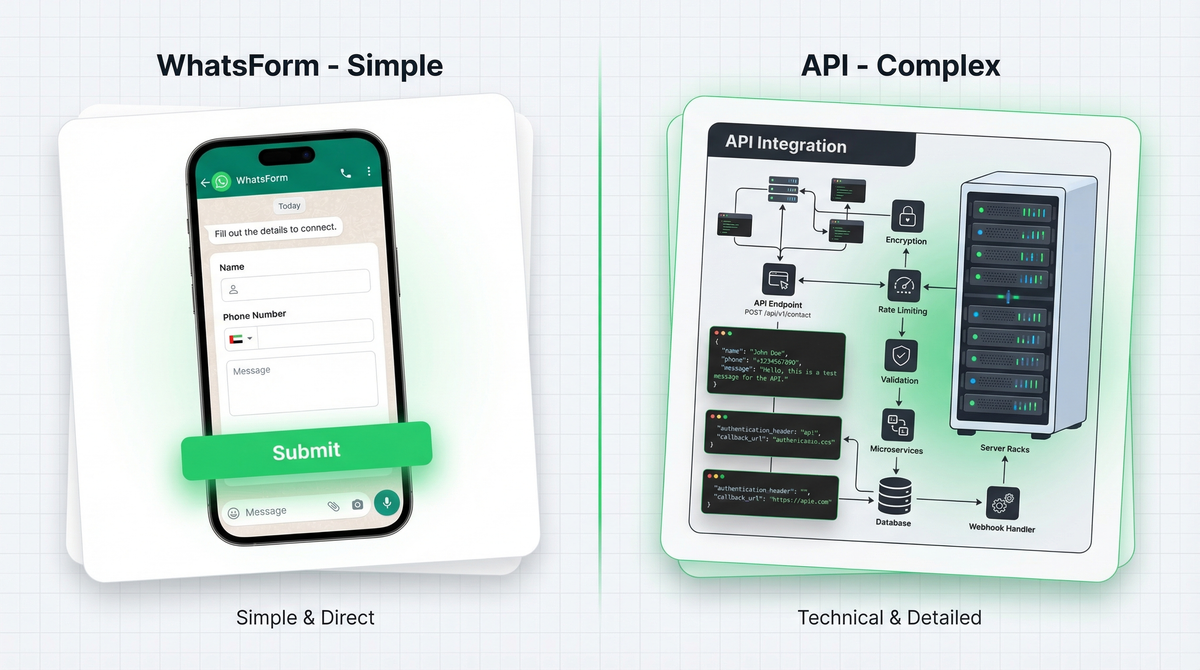
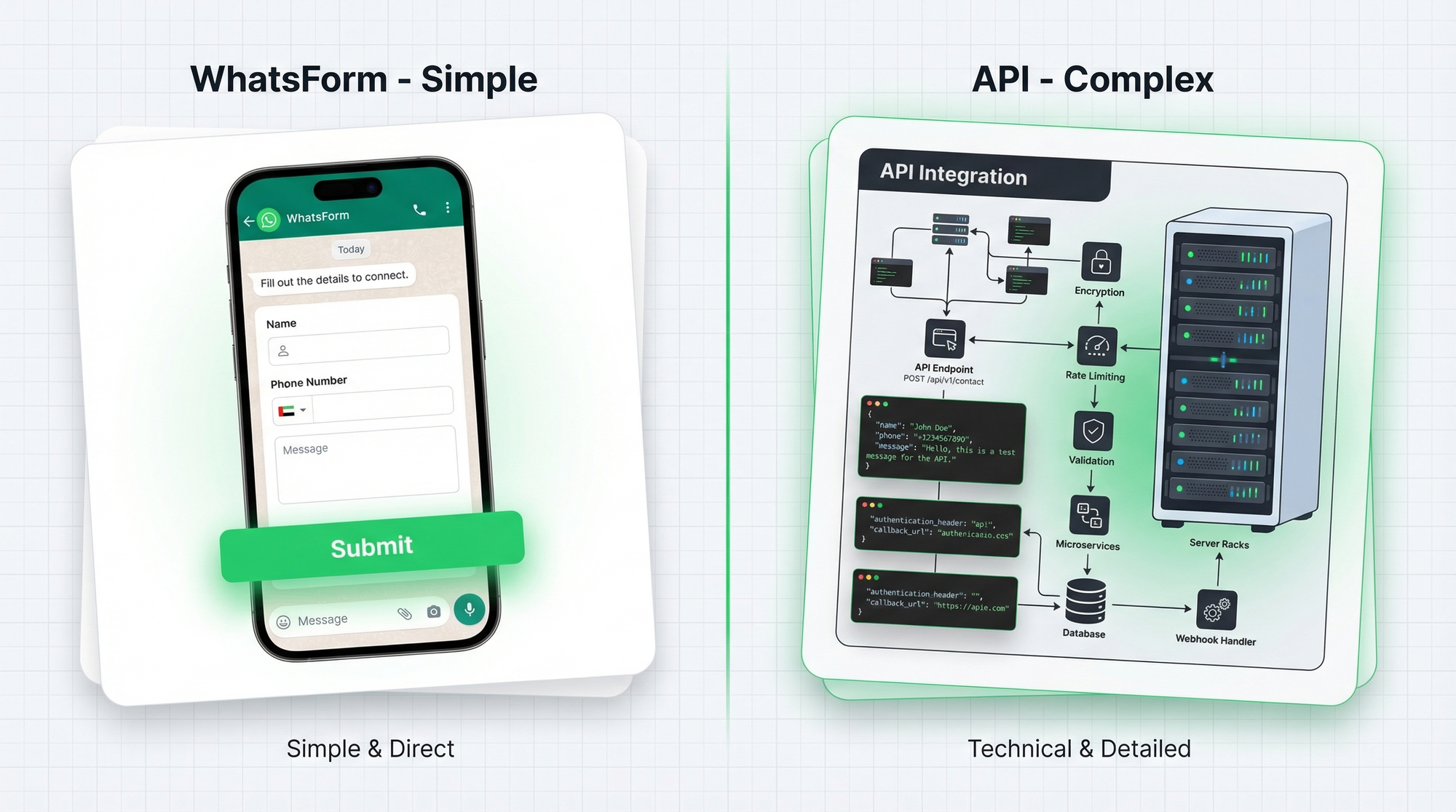
Every week we talk to business owners who think they need the WhatsApp Business API to collect orders or leads on WhatsApp. A restaurant owner who wants to take table bookings. A boutique that wants to collect custom order details. A consultant who wants leads to come through WhatsApp.
Almost all of them don't need the API. They need a form. If you want the broader landscape first, our guide to the best WhatsApp form builders lays out where each option fits.
There's a huge gap between "I want to collect data on WhatsApp" and "I need a developer, a BSP contract, and weeks of approval time." The API was built for large businesses running automated customer support with hundreds of agents. Most businesses collecting structured data on WhatsApp are not that.
This article breaks down what each option actually gives you, what it costs, and how to pick the right one for where you are right now.
You probably don't need the API
The assumption we hear constantly: "To do anything serious on WhatsApp, I need API access." It's understandable. The word "API" gets thrown around as the premium, professional option.
But the API is overkill for most data collection use cases. If your goal is to receive structured information from customers and respond to them, you don't need a developer, a BSP contract, or Meta's approval process. You need a simple form that delivers to WhatsApp.
The API shines when you need automation at scale. For everything else, there's a simpler path.
What the WhatsApp Business API gives you
The WhatsApp Business API is the enterprise-grade layer of WhatsApp. It's what powers chatbots, bulk outbound messaging, and multi-agent support desks.
Here's what you get with the API:
- Automated chatbot conversations that run 24/7
- Bulk message broadcasts to opted-in contact lists
- CRM and helpdesk integrations (Salesforce, Zendesk, HubSpot)
- Multi-agent inbox so your whole team works under one number
- Webhooks and custom integrations for developers
It's powerful. For the right business at the right scale, it's the right tool.
But here's what the API requires:
A developer. You can't set this up yourself. You need someone to write code, handle webhooks, and maintain the integration ongoing.
A BSP (Business Solution Provider). You can't access the WhatsApp API directly. You go through a registered provider like Twilio, 360dialog, or Wati. Each has their own pricing, onboarding process, and contracts.
Meta approval. Your WhatsApp number needs to go through a business verification process with Meta. This can take days to weeks, and there's no guarantee of a timeline.
Ongoing costs. Not just the BSP monthly fee. WhatsApp charges per conversation. Outbound conversations (ones you initiate) cost more than inbound. These fees add up fast as your volume grows.
This is a significant investment of time, money, and technical resources. Which is exactly why most small businesses don't need it.
What WhatsForm gives you
Full disclosure: we built it. WhatsForm lets you create forms that deliver responses directly to your WhatsApp. No chatbot, no API, no developer required.
Here's how it works: you build a form (takes about 5 minutes), share the link or embed it on your site, and when someone fills it out, the collected data lands in your WhatsApp as a neat, structured message. You reply from your normal WhatsApp app, the same way you reply to anyone else. If you're comparing simpler tools, our WhatsForm vs Typeform comparison is a good companion read.
You can collect orders, bookings, leads, feedback, job applications, custom quotes. Any structured data you'd otherwise collect through a Google Form or contact form, you can now receive on WhatsApp instead.
What you don't need:
- A developer or any technical knowledge
- A BSP contract or third-party service
- Meta approval or business verification
- Any API access whatsoever
We have a free tier that lets you start immediately. You can have your first form live in minutes. WhatsForm works in your browser, on Android, and on iOS. Running WordPress? There's a WhatsForm plugin that lets you embed forms on your site without touching code.
Cost comparison
WhatsApp Business API costs:
- BSP monthly fee: typically $50 to $500+ depending on provider and volume
- Per-conversation fees: charged by WhatsApp directly, varies by country
- Developer setup and maintenance: separate cost, often significant
- Total realistic cost for a small business: $200 to $500+/month minimum
WhatsForm costs:
- Free tier: available, covers most small business use cases
- Paid plans: affordable, no per-conversation fees
- Developer: not required
For an early-stage business or a solo operator, the API's cost structure is prohibitive. WhatsForm's free tier lets you start collecting data today and upgrade only when you've grown into it.
Setup time
WhatsApp Business API: plan for one to four weeks. Business verification with Meta, BSP onboarding and contract, developer integration time, testing and debugging. Some businesses get it done faster. Many take longer, especially if there are issues with Meta's verification process.
WhatsForm: 5 minutes. Sign up, build your form, share the link. That's it. We have a step-by-step guide if you want it, but most people figure it out without one.
The difference matters when you have a real business need right now. Waiting three weeks to start collecting orders isn't an option for most businesses.
When you need the API
Be honest with yourself here. The API investment makes sense when:
- You're handling 100+ conversations per day and manual replies aren't sustainable
- You need a chatbot that automatically responds, qualifies leads, or routes conversations without human involvement
- You need CRM sync so your team's WhatsApp conversations log automatically into Salesforce or HubSpot
- You run a customer support team where multiple agents need to work under one WhatsApp number
- You send bulk outbound messages to opted-in customer lists for promotions or updates
If that's your situation, the API infrastructure pays for itself. You need the automation and the scale. The investment is justified. If you are still deciding between WhatsApp's built-in business options, read WhatsApp Business App vs API next.
When WhatsForm is enough
WhatsForm handles most data collection use cases under 100 conversations per day better than the API, and with a fraction of the cost and complexity. Use it when:
- You're taking orders. A WhatsApp order form collects all the details upfront (item, quantity, address, phone) before the conversation even starts. Less back and forth, cleaner orders.
- You're taking bookings. Collect date, time, party size, and special requests. Reply to confirm. Simple.
- You're capturing leads. Name, email, budget, service needed. All structured, all delivered to your WhatsApp.
- You're collecting feedback. Post-purchase surveys, support satisfaction, product reviews. No extra tool required.
- You're running a small business solo or with a small team. You don't need multi-agent infrastructure yet, and that's fine.
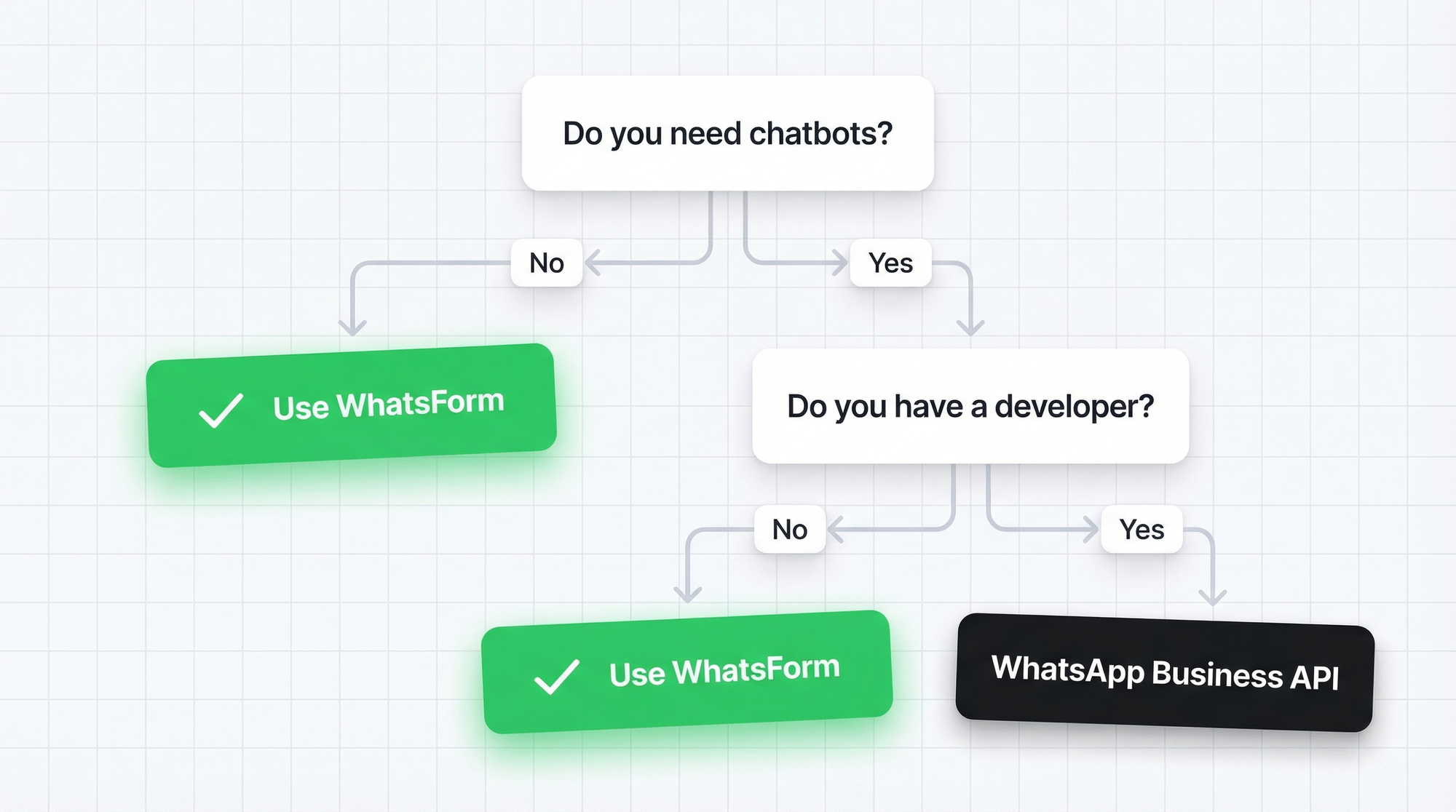
The rule of thumb: if you're collecting structured data and replying manually, WhatsForm is the right tool. The API is for when replies need to be automated or when your team is too big to coordinate manually.
Use both together
Here's something worth saying: WhatsForm and the WhatsApp Business API aren't really competitors. They solve different parts of the same problem.
A smart setup for a growing business might look like this: use WhatsForm to collect structured data upfront (orders, bookings, lead details), then use the API to send automated follow-ups (order confirmations, appointment reminders, status updates to your full customer list).
WhatsForm does the collection. The API does the automation. They complement each other naturally.
If you're not at API scale yet, start with WhatsForm. Get the data flowing. When you hit the ceiling, you'll know exactly what you need from the API because you'll have real data on your conversation volume and use case. No guessing, no over-investing too early.
Which one is right for you?
Simple test: can you respond to your WhatsApp messages manually today? If yes, start with WhatsForm. Get live in 5 minutes, start collecting data, reply from your phone. Upgrade later when the volume demands it.
For a detailed walkthrough, check our help center guide on what WhatsApp forms are. If you want the practical setup steps, the quick-start article walks through your first form.
If you're already overwhelmed, handling hundreds of conversations a day, or need automation that runs without human involvement, the API investment is worth it.
Download WhatsForm on Android or iOS and start collecting on WhatsApp today. WordPress users can install the WhatsForm plugin and embed a form in minutes.
Not sure how to get started? Our quick-start guide walks you through your first form step by step. If your main use case is capturing leads from a site, this article on a WhatsApp contact form for your website is worth reading next.