WhatsApp for event management: RSVPs and attendee communication
Event organizers already live in WhatsApp. Forms make RSVP collection and attendee management structured instead of chaotic.

Event organizers are already living in WhatsApp. The wedding planner sending last-minute venue updates. The conference organizer broadcasting schedule changes. The birthday party host trying to track who's coming. WhatsApp is where event communication happens.
But most organizers are managing it the hard way. Asking guests to reply with their name. Manually reading through hundreds of replies to build a guest list. Losing track of dietary restrictions buried in group chats.
There's a better way. WhatsApp forms let you collect structured RSVPs and registrations, right where your guests already are.
Why event organizers love WhatsApp
WhatsApp has something email doesn't: people actually open it. The open rate on WhatsApp messages is around 98%. Compare that to email, where 30% is considered excellent. We wrote a full breakdown in our WhatsApp vs email comparison if you want the numbers. If you are planning a launch, workshop, or private event trip, our guide on using WhatsApp for travel agencies shows how teams handle inquiries and confirmations without losing context.
But it's more than open rates. WhatsApp feels personal. When you send a wedding invitation via WhatsApp, it feels like an actual invitation, not a mass email. Guests can see the venue photos you attached. They can ask questions in the same thread. And when you need to send a last-minute update about parking, it reaches everyone instantly.
Event organizers use WhatsApp because it meets guests where they are. No new app to download. No email buried in a promotions folder. Just a message in the app they're already checking dozens of times a day.
RSVP collection
The classic WhatsApp RSVP problem: you send a message asking who's coming, and you get 47 different reply formats.
"Yes!" "Coming with the family" "We'll be there, 4 of us" "Is it formal?" "What time again?"
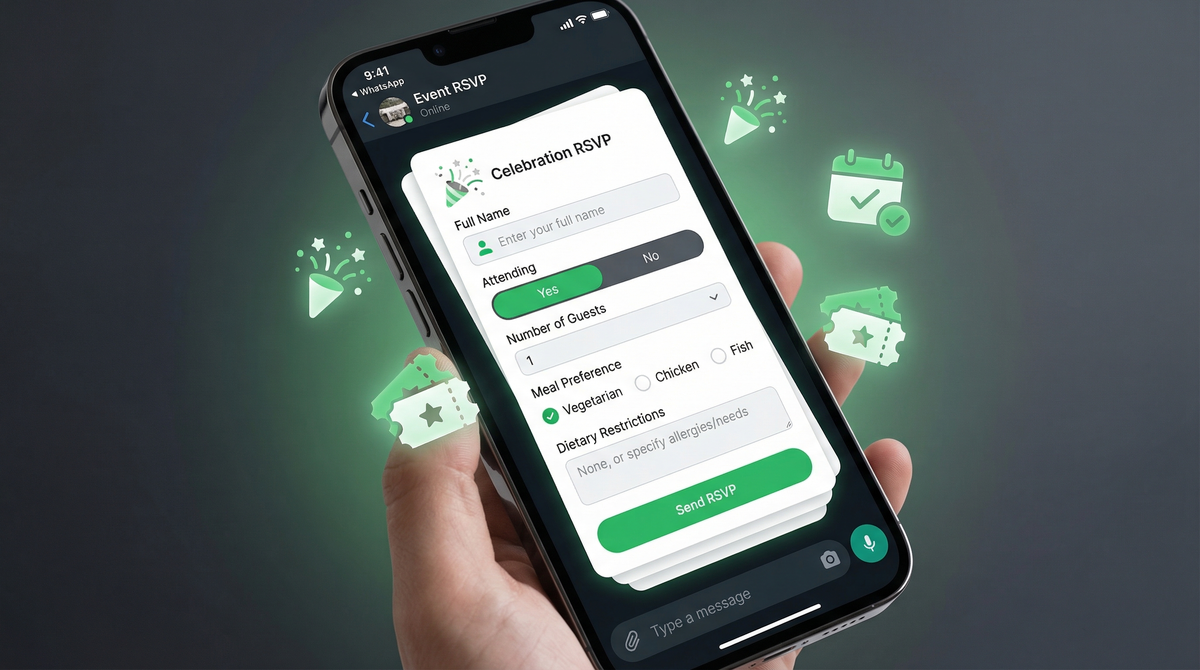
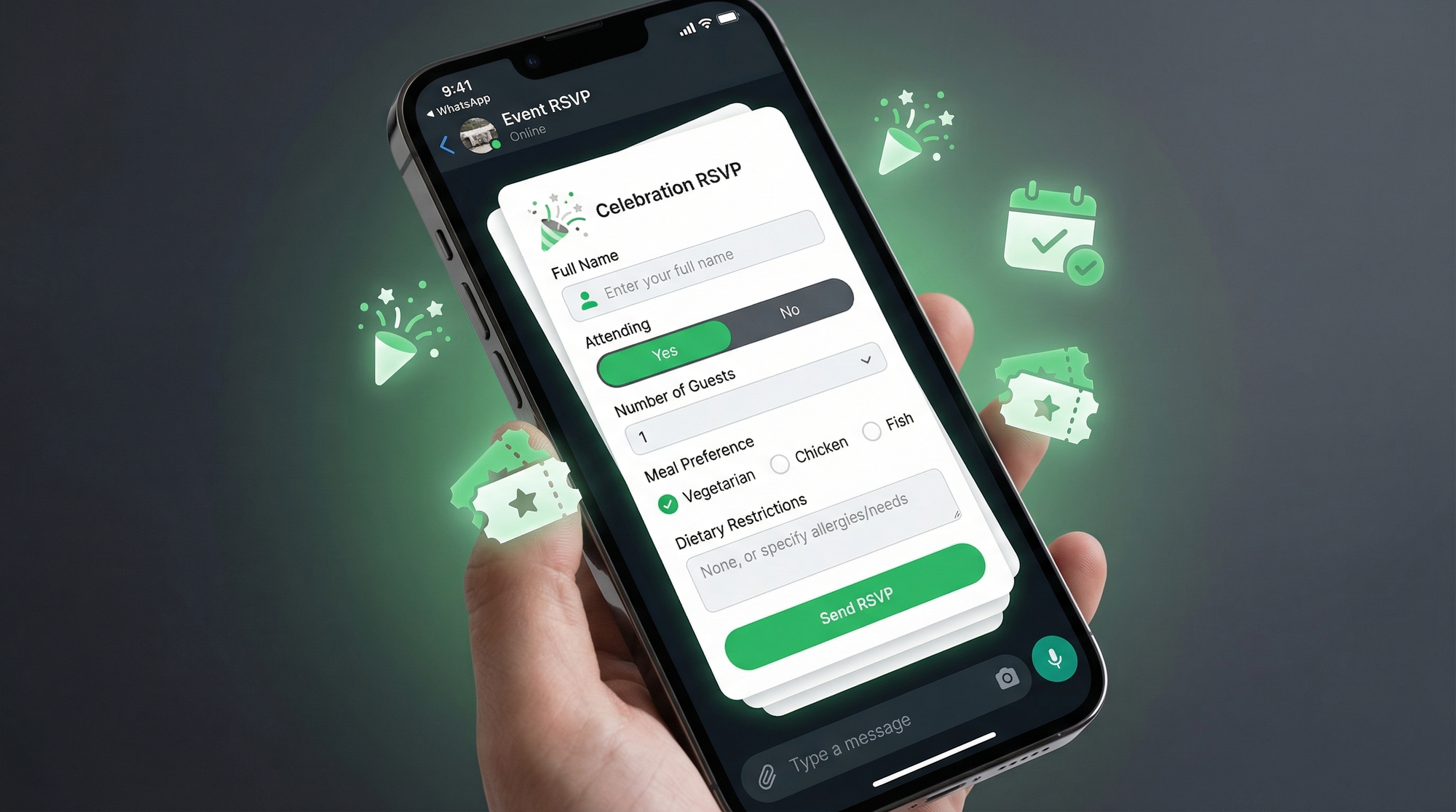
You end up manually piecing together a guest list from a chaotic thread. With a WhatsApp form, guests click a link and fill in exactly what you need. A basic RSVP form covers:
- Full name
- Attending (Yes / No)
- Number of guests
- Meal preference (vegetarian, non-vegetarian, vegan)
- Dietary restrictions (allergies, religious requirements)
- Plus-one name (if attending with someone)
When they submit, the response lands in your dashboard as a clean, structured entry. Build your guest list without reading through a group chat.
Event registration forms
For conferences and corporate events, you need more than just a headcount. You need context. Who's coming? What are they interested in? Who should they meet?
A WhatsApp registration form for a conference might collect:
- Full name
- Company and job title
- Session preferences (which tracks they want to attend)
- Networking interests (topics they want to discuss)
- Special requirements (accessibility, dietary, etc.)
This gives you something valuable before the event even starts. You can personalize name badges, curate introductions, and plan session capacity based on actual demand. The form link goes in your WhatsApp invitation message. Guests tap it, fill it in, and you get a structured registration list. If you need a similar flow for classes or workshops, our guides on WhatsApp for education and building a registration form that sends to WhatsApp are good references.
Wedding-specific forms
Weddings are probably where WhatsApp RSVP chaos peaks. You're managing family across time zones, guests who haven't confirmed, dietary needs for the caterer, and song requests from college friends.
A wedding-specific WhatsApp form handles all of it in one place. Beyond the standard RSVP fields, wedding forms often include:
- Meal choice (usually multiple options per course)
- Song requests (what guests want to hear on the dance floor)
- Accommodation needed (yes/no, and which nights)
- Transport from the airport (for destination weddings)
- Message for the couple (a personal touch guests appreciate)
Share it in the WhatsApp thread where you sent the invitation. Guests fill it in at their convenience. You export the responses and hand them to the caterer, the hotel, and the DJ. No spreadsheet built manually from chat messages. No chasing family members for dietary restrictions three days before the big day.
Ticket and payment confirmation
For paid events, WhatsApp is increasingly where ticket confirmations happen too. Attendees trust a WhatsApp message more than an email sitting in their promotions folder.
A payment confirmation form collects:
- Event name and date
- Ticket type (general admission, VIP, workshop)
- Amount paid
- Payment screenshot (for bank transfer or UPI payments)
- Contact number for entry verification
WhatsForm supports payment collection directly inside forms. Full disclosure: we built it. Guests can pay and confirm their spot in a single flow, and organizers get the confirmation logged automatically. See how it works: accepting payments inside WhatsForm.
Day-of communication
The event is tomorrow. The venue changed the entrance. One session is running late. You need to reach 200 people quickly.
WhatsApp broadcast lists let you send a message to everyone without creating a group. Recipients see it as a personal message. For day-of updates, it's faster and more reliable than email or SMS.
Use your WhatsApp groups for community and discussion. Use broadcasts for critical updates. And if you collected guest phone numbers via your RSVP form, you already have your broadcast list ready to go.
Typical day-of broadcasts:
- Venue directions and parking instructions
- Schedule changes or room assignment updates
- Weather-related notes for outdoor events
- Check-in tips to reduce wait times
Keep it short. Include exactly what guests need to act on it. For appointment-style events, the playbook is very similar to our WhatsApp booking form guide.
Post-event feedback
The event wrapped up. While it's fresh, send a feedback form. Response rates drop dramatically after 24 hours, but a WhatsApp message gets opened almost immediately.
A post-event feedback form typically asks:
- Overall rating (1-5 stars)
- Favorite session or moment
- What could be improved
- Would you attend again? (yes/no)
- Testimonial (optional, valuable for marketing future events)
This feedback is gold. It tells you what worked, what didn't, and gives you social proof for the next event. Response rates via WhatsApp are far higher than a post-event email survey. If you want question ideas, look at our articles on WhatsApp feedback forms and customer surveys on WhatsApp.
Getting started
The setup is simpler than it sounds.
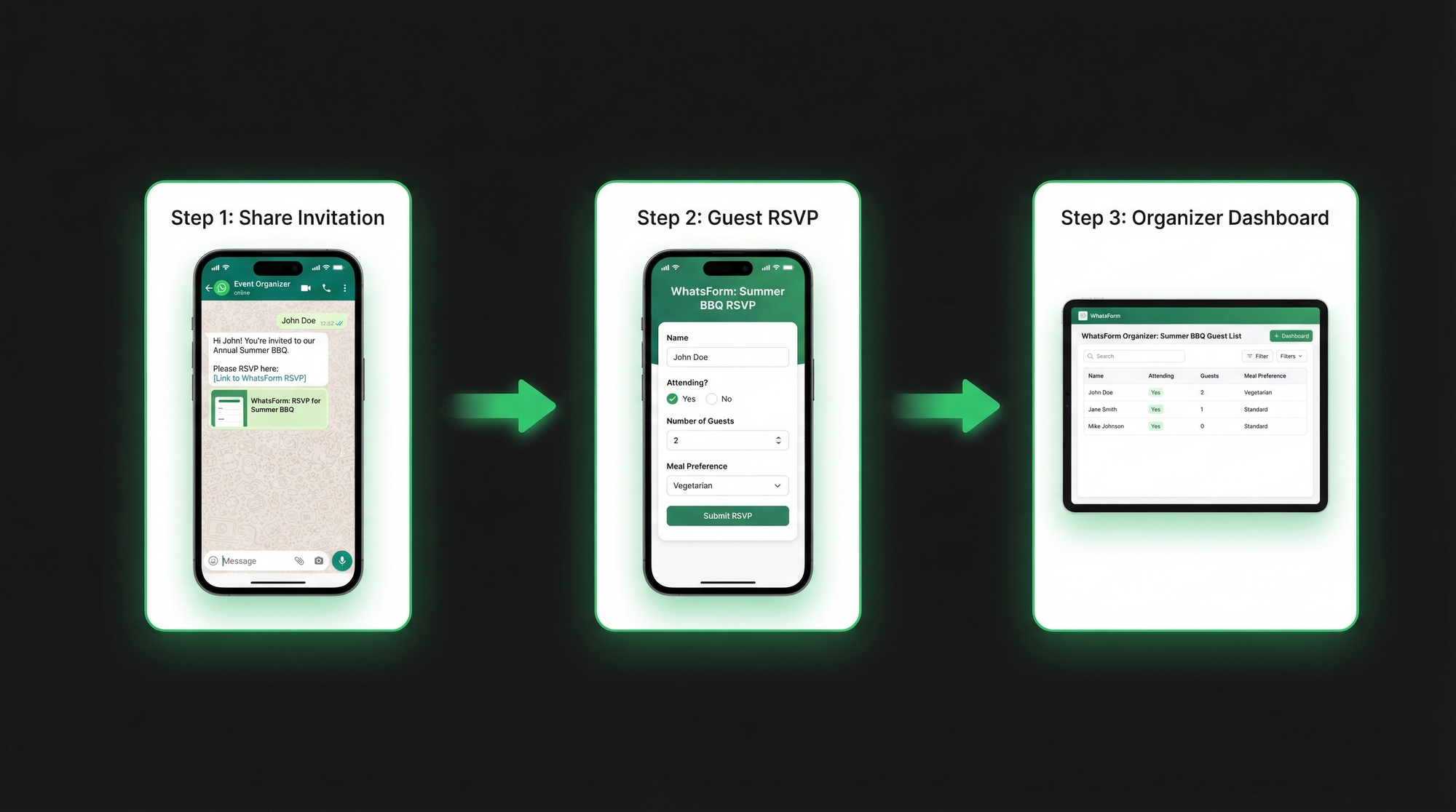
Step 1: Create your event form in WhatsForm. Add your fields: name, attending, number of guests, meal preference, whatever you need. Full disclosure: we built it. If you want a starting point, our WhatsApp contact template is easy to adapt for events.
Step 2: Share the form link in your WhatsApp invitation message. You can also pin it in your WhatsApp group, add it to the group description, or include it in social media event posts. Learn more about sharing your WhatsForm link.
Step 3: Collect responses in your dashboard. Export to CSV when you need to share with caterers, venues, or your team.
For a detailed walkthrough, check our help center guide on creating your first WhatsApp form.
You can manage everything on the go. The WhatsForm app is available on Android and iOS. If your event website runs on WordPress, the WhatsForm WordPress plugin lets you embed your RSVP form directly on the event page.
Want to see how other organizers use WhatsApp forms for communication and lead collection? Our guide on WhatsApp lead generation covers the broader strategy.
The shift from chaotic WhatsApp threads to structured forms is a small change that makes event management significantly less stressful. Your guests are already on WhatsApp. Your RSVPs should be too.